Spotify QR code generator

How to use Spotify QR codes
You can create a QR code for just about any content available on Spotify, whether it be your own work or from other creators. Since you can share Spotify content in the form of a URL link, it's super easy to copy and paste that link into a QR code generator, and generate a usable Spotify QR code right away.
You can use a Spotify QR code in various ways:
- Add it to a QR code flyer or business card.
- Share playlists and podcasts with friends.
- Use in your marketing materials.
- If you are an author, you can create a playlist of your work and add the QR code to physical copies, so your audience can listen too.
- Authors can QR codes to distribute audio books or dramas.
- Businesses can distribute an approved playlist for retail locations.
- Bands and indie artists can use Spotify QR codes to gain a wider audience.
Spotify QR codes for musicians and bands
musical artists can get great value from a Spotify QR code as it creates a super quick and simple way of sharing their music, without having to write down or tell people how to spell their name or add too much text to merch/ marketing materials.
Adding a QR code to concert posters, merchandise, and flyers, can help a band promote their music in a way that allows users a way to just get their phone out, scan using the camera, and keep it for later. This frictionless process maximises the chances of people going back to check out the music later.
Sharing playlists
Music enthusiasts and influencers who curate playlists can also can also benefit from Spotify QR codes. For example, by creating a mixtape playlist for an event, and printing the QR code on invites or cards. People planning a wedding could also create a playlist and add a QR code to the invites.
Businesses and brands
Retail stores and cafes can create curated Spotify playlists and use QR codes to share them with staff to make sure it's always easy for them to switch the music on. They could also share the playlists with customers who might ask about the music they're playing. H&M actually share their in-house playlist each month for customers to take with them.
The QR codes could be printed on menus, signs, at the bar, etc.
Spotify Code vs. Spotify QR code
Spotify Codes are a build in feature of Spotify that allow users to generate a barcode-like image to share songs, playlists, albums, etc. and have the Spotify branding. A Spotify QR code, on the other hand, is created by a third party service that has no direct affiliation with Spotify, and can be branded uniquely.
One of the big differences in terms of user experience is that a Spotify Code can only be scanned using the Spotify app, whereas a Spotify QR code can be scanned directly using most smartphone cameras, and will either open the Spotify app or the web player version if the app isn't installed.
Another key difference is that a Spotify QR code allows creators to customize the design, including adding their own branding, colors, logo etc. and print at various sizes. Spotify Codes have a fixed design with the Spotify branding.
It's also possible to change the destination of a QR code, so long as you're using a dynamic QR code generator like our tool here at QR Code Developer. That means an artist could create a QR code for their album launch and print it on flyers etc. but then update the link inside the tool when they release a different album, and the printed QR codes will continue to work, whereas a static QR code or regular Spotify Code is impossible to update without generating a new code.
Finally, a Spotify QR code generator provides access to analytics on when, where, and how users have scanned the code. This can be useful for touring musicians to understand engagement in different areas, for example.
| Spotify Code | Spotify QR code | |
| Scanning | Users must have the Spotify App installed | Can scan with any phone camera |
| Appearance | Includes Spotify branding, not customizable | Highly customizable design |
| Editability | Static link, content can't be changed | Creators can change the destination in the future |
| Analytics | No scan data | Tracks scans and provides data |
Whether or not a QR code is necessary for you will depend on your own factors, but for professional artists or those looking to break out, it provides valuable pro features that can't be had with a regular Spotify Code.
How to create a Spotify QR code
Step 1:
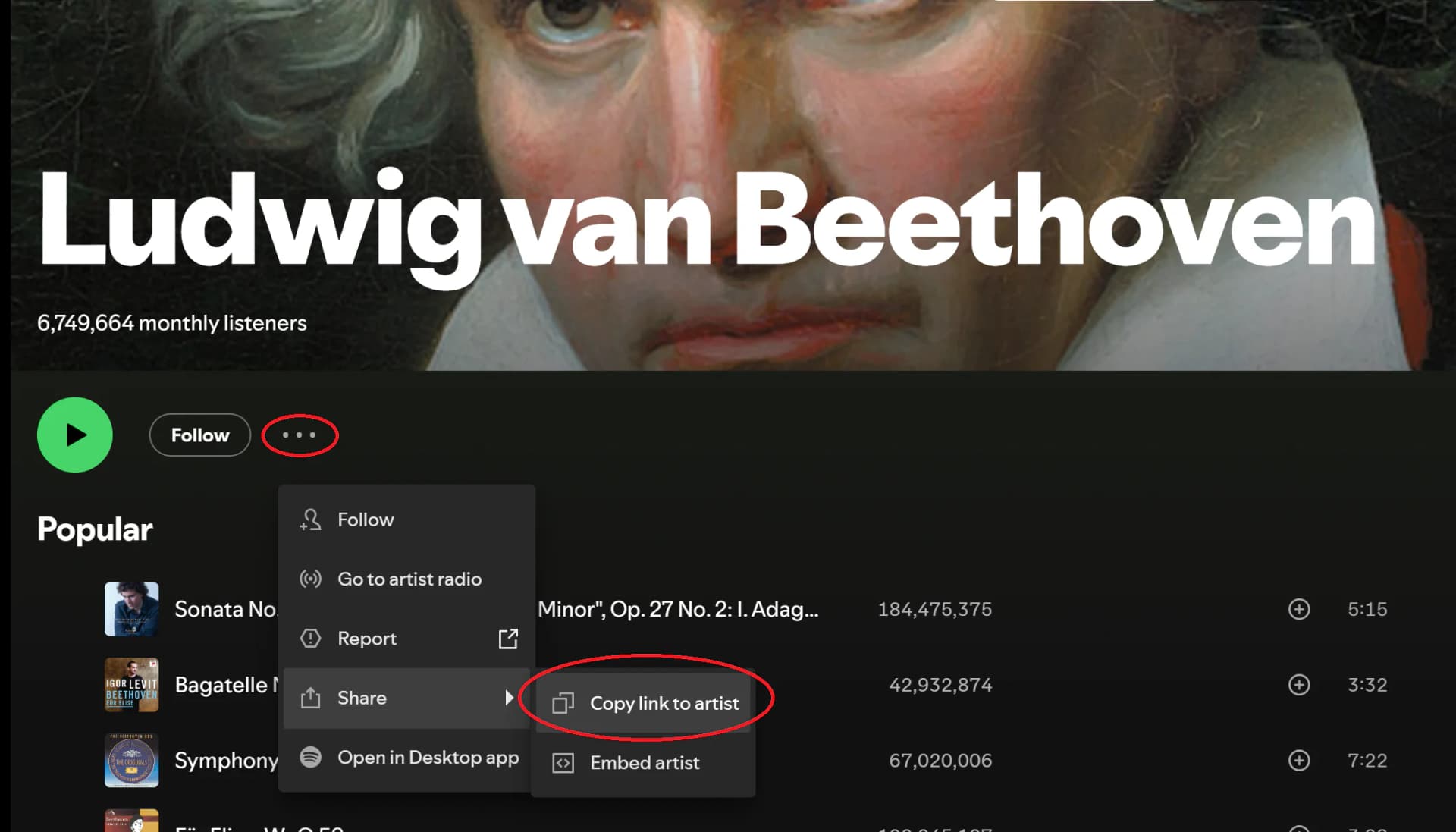
Go to the content you wish to share and click on the 3 dots next to the content. Then click share and copy link.
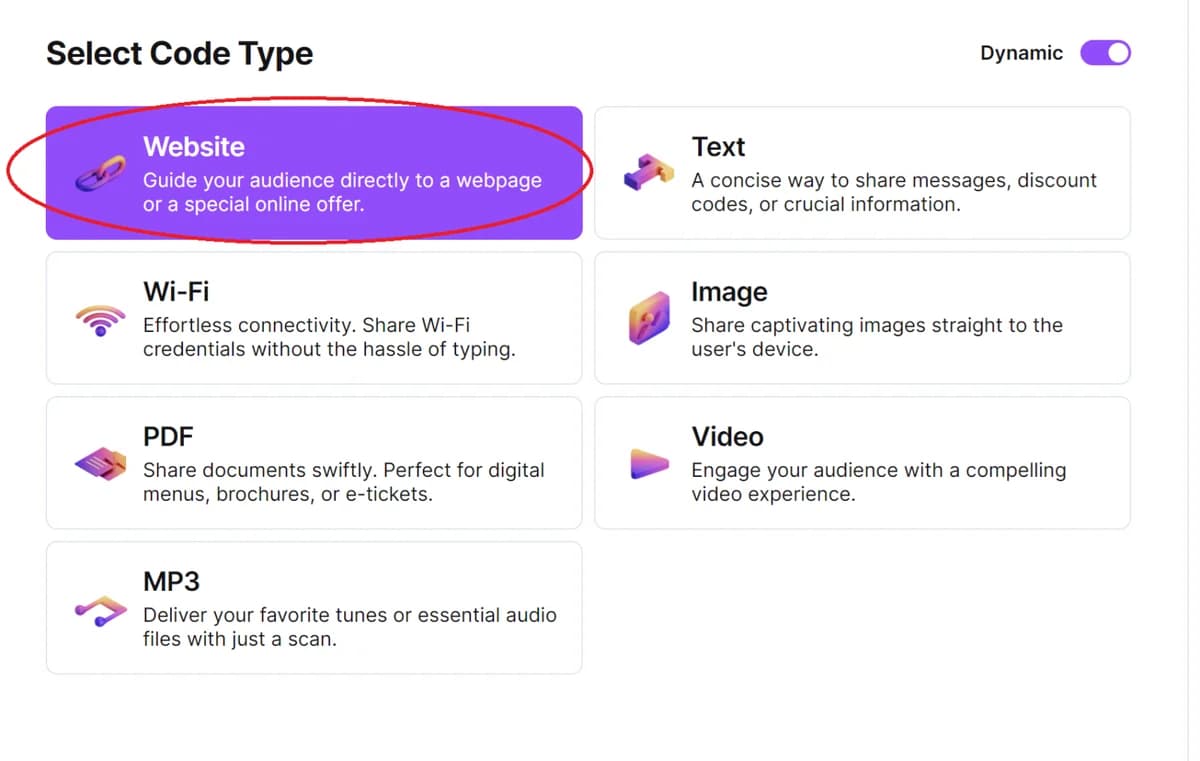
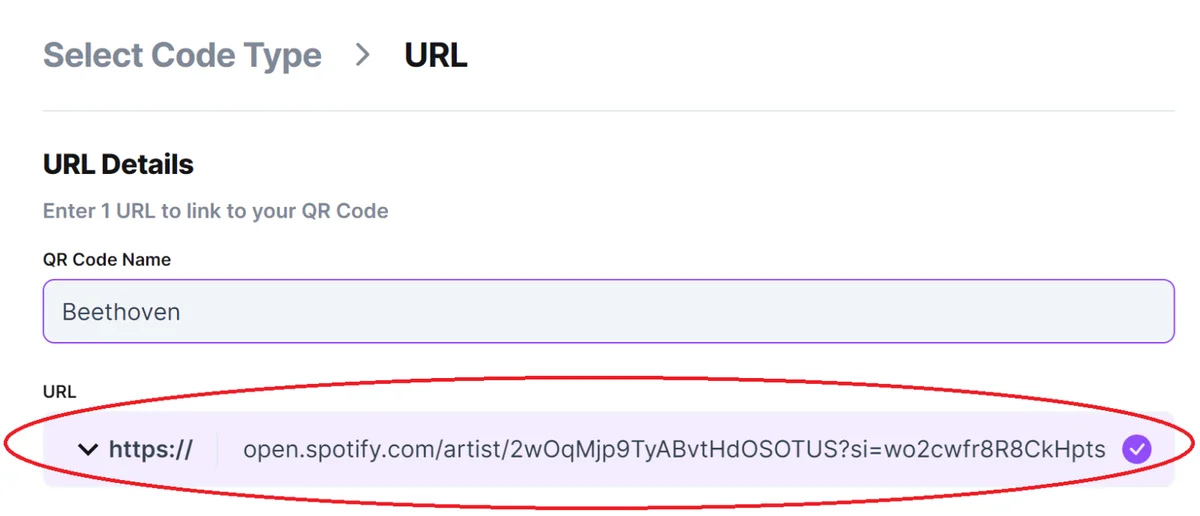
Step 2: Head to our QR code generator and click Create QR Code, then Select Website and paste the link in the bar.
Step 3:
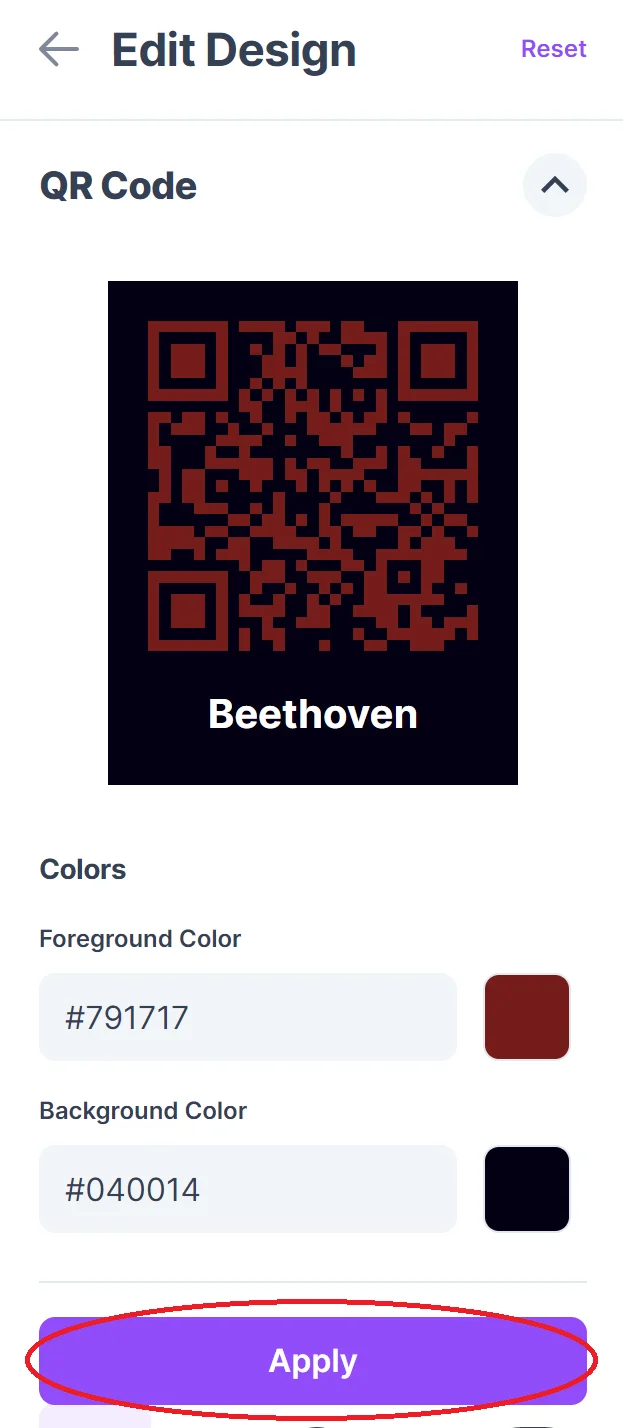
Click on the pencil icon in the Preview window to open up the design options. Then customize your code.

Step 4:
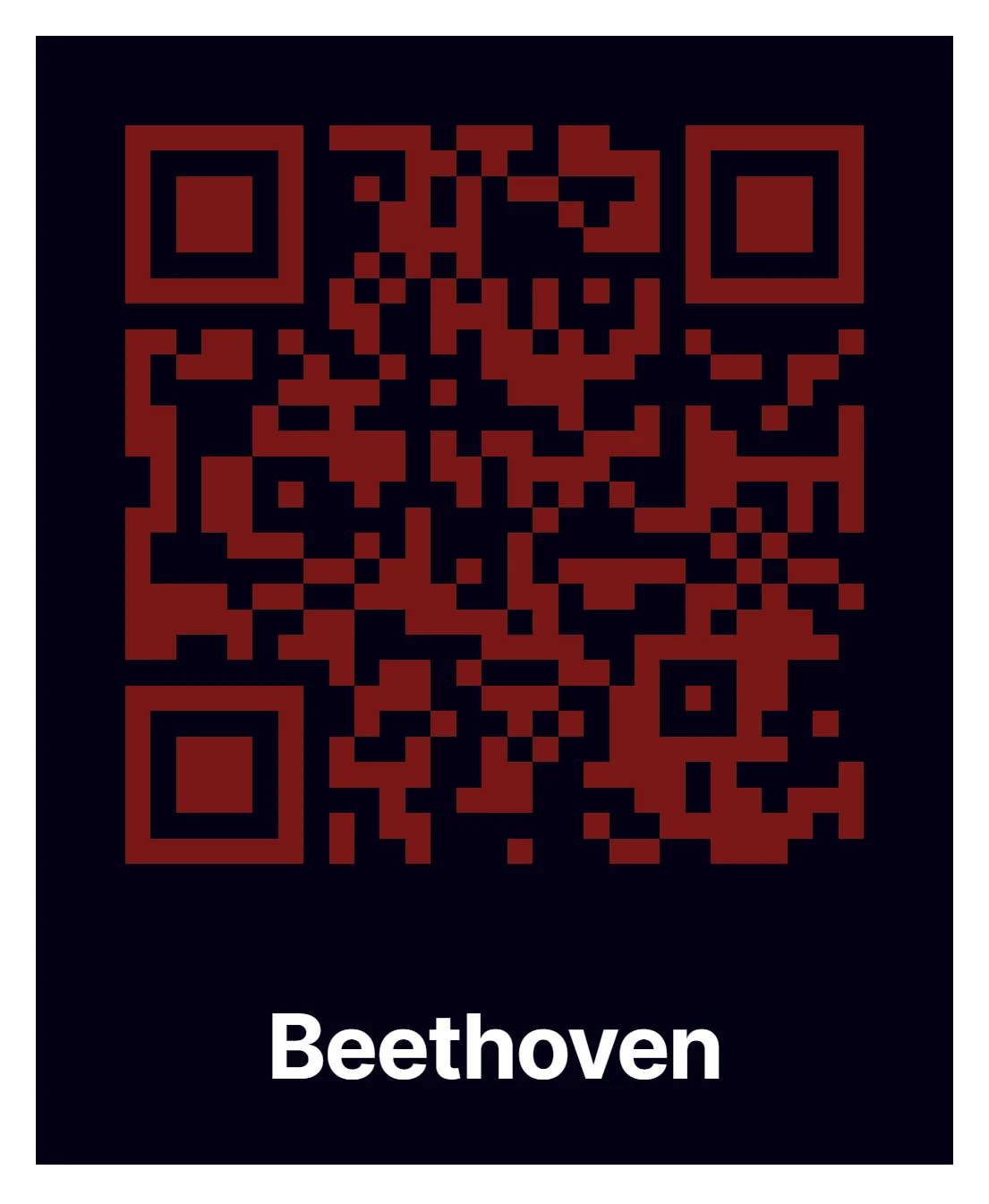
Click Generate and download your QR code.
Where to place your Spotify QR codes
When deciding where to put your Spotify QR code, keep in mind that QR codes are scanned with the camera on a phone or mobile device. Therefore, they must be placed on a flat surface with no warping so that the camera can easily read it. Posters, fliers, stickers, and business cards are good for a Spotify QR code. Uneven surfaces like telephone poles or warped walls would not be a smart location to place a QR code, as the code can become distorted and unreadable.
The best places to physically place a QR code are:
- Posters
- Business cards
- Flyers
- Stickers (on a flat surface)
Keep your audience in mind when distributing your Spotify QR codes. If your code links to a playlist full of indie punk rock, then it might not be a good idea to distribute your code in a retirement home, at least not for another 20 years. Since Spotify is a platform for audio content, the best places to distribute codes would be record stores, music venues, and anything related to audio content. Bookstores and libraries could also be a good option if your codes link to podcasts, audio books, or audio dramas.
Monitoring QR code usage
With the tools available here at QR Code Developer you can monitor the usage of each Spotify QR code you create. This can include how many times a code has been scanned, where it has been scanned, on what device, using what browser, and more. With these tools you can figure out which codes are reaching the most people and where to focus any advertising efforts.
With QR Code Developer you can monitor:
- Number of scans - indicates overall interest
- Number of scans by operating system.
- Scans by time - see if a lot of people scanned the code at the concert
- Scans by country, city, and language - helps identify where fans are
- Unique scans - roughly how many individuals scanned
Analytics and privacy
There are strict privacy laws governing what can and can't be collected around the world. The analytics provided by QR Code Developer are strictly aggregate analytics that contains no personally identifiable information (PII).
Spotify QR code best practises
- Only place codes on a flat surface
- Make sure contrast on code is high
- Provide additional information on where the code links to
- Know your audience
- Keep track of analytics
- Test codes on multiple devices to make sure they work
Why Spotify?
Of the many music streaming services available today, Spotify has the largest user base by a wide margin. As of January 2025, Spotify accounted for 31.7% of the market share for music streaming platforms, with the next highest being Chinese service Tencent at 14.4% and Apple Music at 12.6%. Additionally, Spotify has 640 million active users per month listening to a wide variety of audio content every day.
While Spotify is mostly used for music, other popular content includes podcasts and audio dramas. For younger audiences in particular, Spotify remains the service of choice, with over half of its users being between the ages of 18 and 34. While it's a good idea to make your content available across many different streaming services, if you have to pick just one, then it's wise to go with Spotify.
Conclusion
As you can see, it is very easy to create unique QR codes for just about any piece of content on Spotify. From single songs, albums, content creators, podcasts, audio dramas, and audio books. Creating a scannable QR code for Spotify content is as easy as copying the share link and pasting it into your chosen code generator. Likely, you will spend more time designing the cosmetics of your code than actually creating the code.
So if you have some content on Spotify you want to share via a poster or a flier or whatever, go ahead and make a Spotify QR code for it now! You'll be surprised and pleased by how simple and easy the process is.
Ready to create your QR code?
Generate custom QR codes in seconds - free and easy to use.
Create Free QR Code →