QR codes for Venmo

Sharing your Venmo ID or payment link is easy if it’s to a person or a few, but it gets difficult when you need to share it with many people frequently, like in a retail store. Manually inputting the
Sharing your Venmo ID or payment link is easy if it’s to a person or a few, but it gets difficult when you need to share it with many people frequently, like in a retail store. Manually inputting the ID or the link takes time. For customers in a hurry, the chances of typing errors also increase when inputting the Venmo ID manually.
Whereas QR codes make it simple to let others send money on Venmo without searching for your username. It saves time and removes the chance of typing errors.
How does a QR code for Venmo work?
It works by turning your Venmo profile or payment link into a QR code. When someone scans it, they are instantly taken to your Venmo page, where they can pay or request money. This way, payments become faster and smoother.
Below are some use cases of QR codes for Venmo and how they can be helpful for you:
| Use Case | How It Helps |
| Friends & Family Payments | Share a Venmo QR code so people can pay you back instantly for meals, trips, or shared expenses. |
| Small Businesses | Place a Venmo QR code at checkout counters to accept quick payments without handling cash. |
| Events & Parties | Collect ticket fees, entry payments, or group contributions by sharing a Venmo QR code. |
| Fundraisers & Donations | Nonprofits or individuals can share QR codes to make collecting donations simple and fast. |
| Service Providers | Freelancers, babysitters, or tutors can use Venmo QR codes to get paid right after the service. |
Benefits of using QR codes for Venmo
- Give customers instant access to Venmo ID or Payment Link.
- Remove the need for typing or remembering long URLs or your Venmo username.
- Can be printed or shared digitally without losing quality.
- Work on any smartphone with a camera, no special app required.
- Easy to customize with logos, colors, and frames.
- Can be tracked and analyzed to measure business growth by providing crucial scan analytics.
How to create a QR code for Venmo with QR Code Developer?
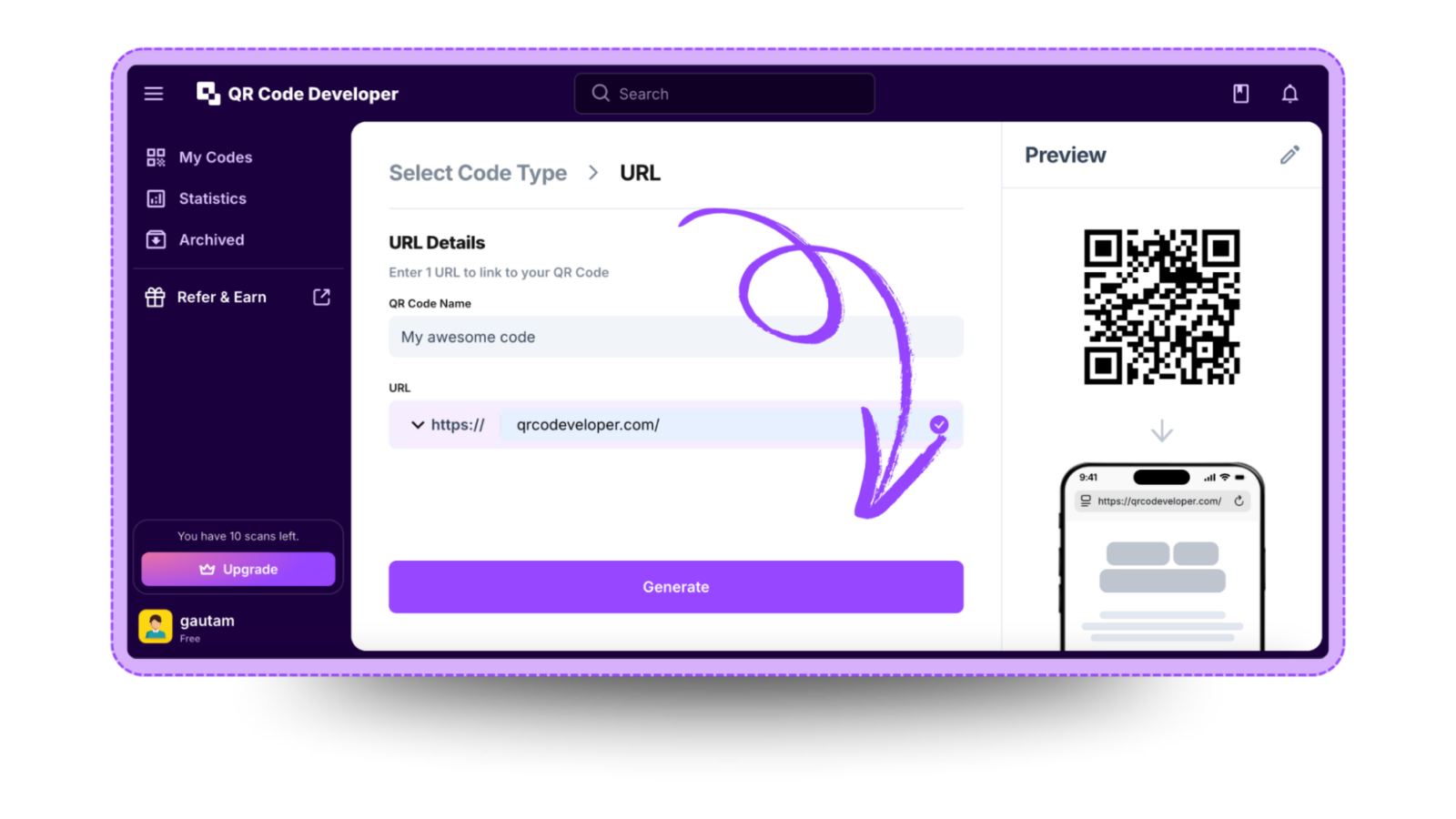
Follow the steps below to create an Venmo QR code with QR Code Developer
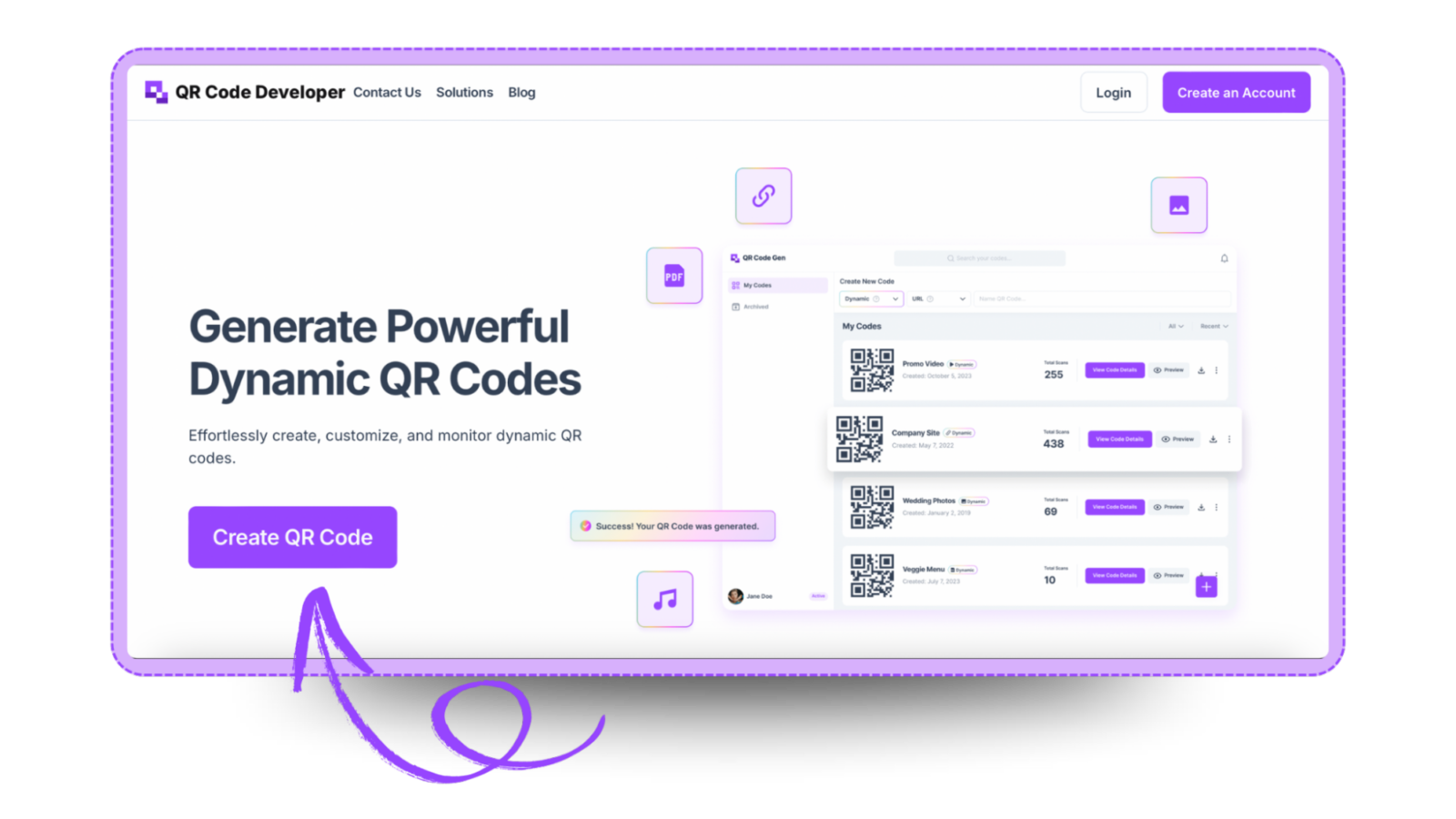
Step 1: Go to QR code developer and click on create QR code.
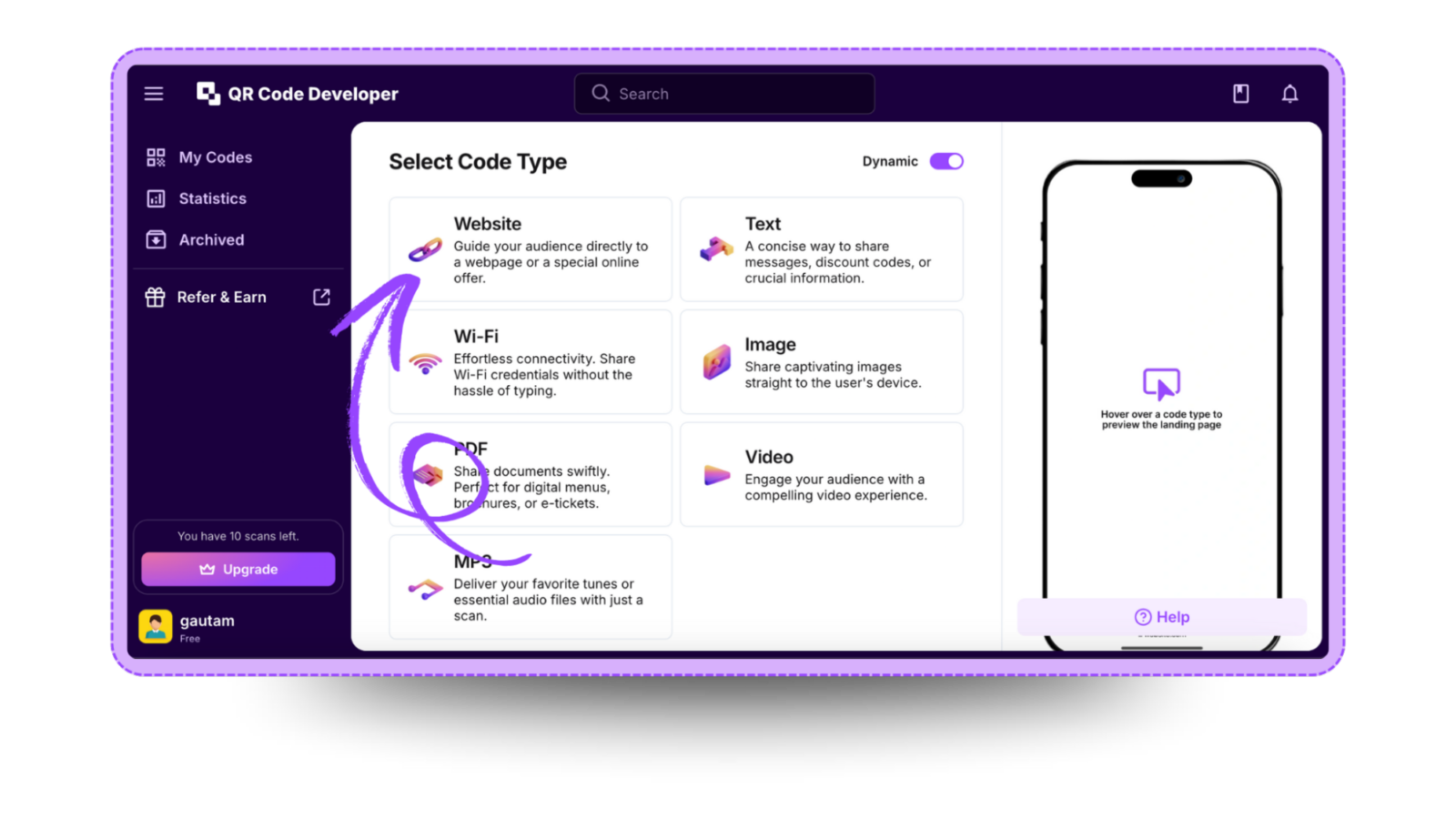
Step 2: Select the QR code type. For the Venmo link, select the website option.
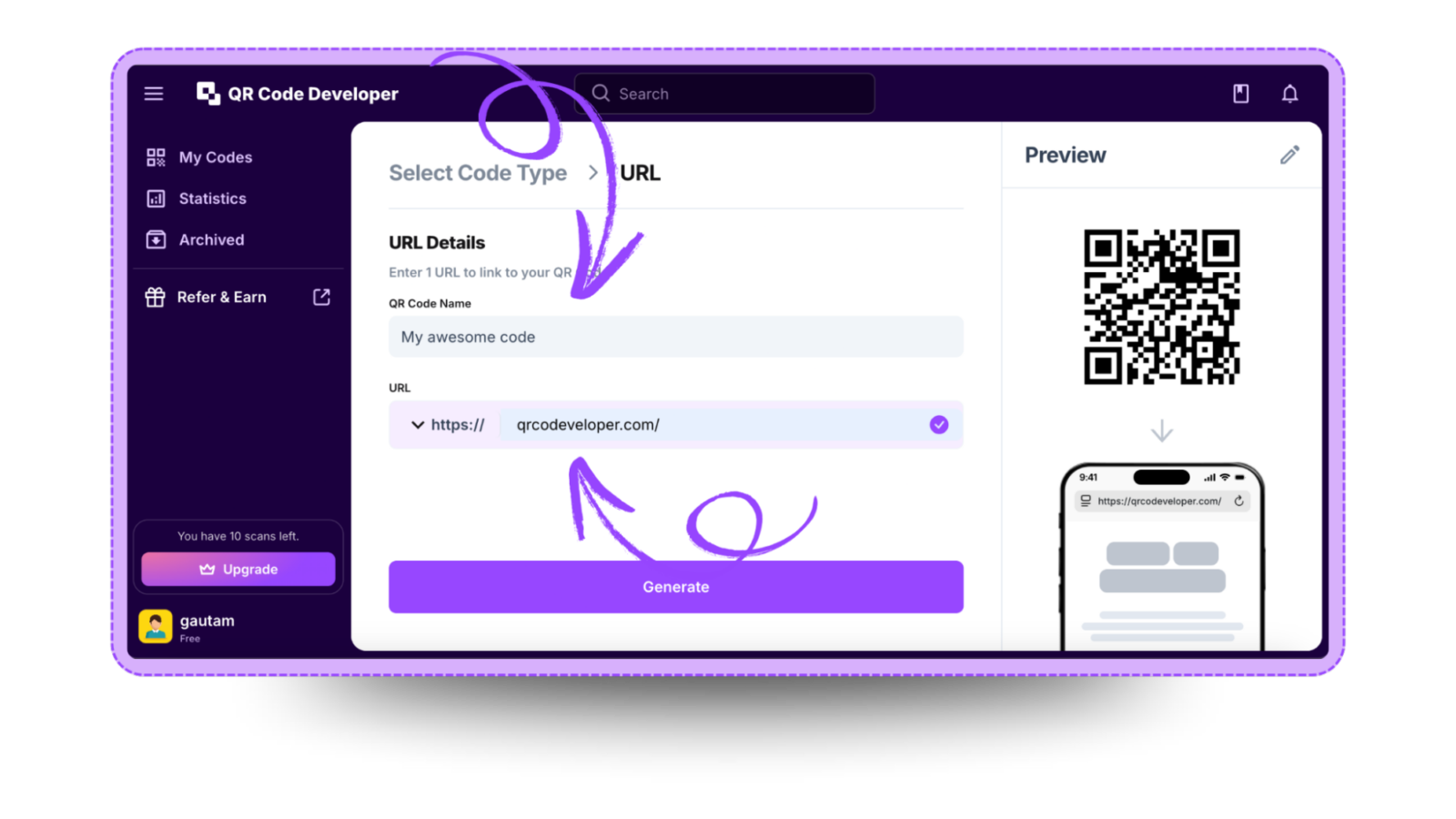
Step 3: Name your QR code and paste the link in the URL bar.
Step 4: Click on the Pencil icon in the top right corner for customization.
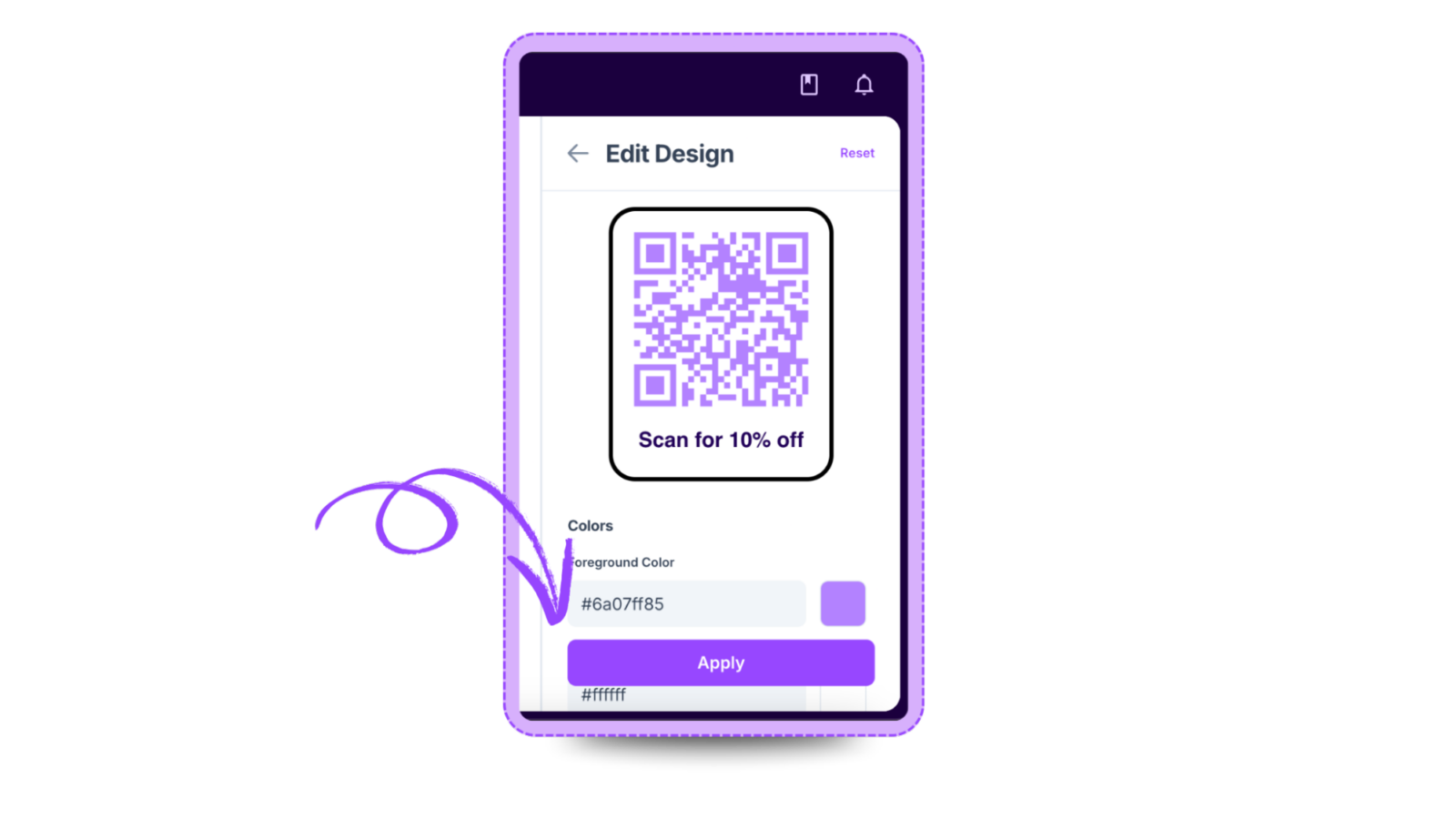
Step 5: Once done, click on Apply.

Step 6: Click on generate and your Venmo QR code is ready!
Ready to create your QR code?
Generate custom QR codes in seconds - free and easy to use.
Create Free QR Code →