Vcard QR code generator

QR codes let you share your contact details like name, phone number, email, and address, with anyone without hassle. It removes the need to manually type or exchange contact info. People can simply sc
QR codes let you share your contact details like name, phone number, email, and address, with anyone without hassle. It removes the need to manually type or exchange contact info. People can simply scan the code and save your details instantly. QR codes make networking faster and smoother.
How does a QR code for a Vcard work?
It works by converting your contact details into a VCard QR code. When someone scans it, your full contact information appears on their phone, and they can save it directly without typing. A QR code ensures your details are shared correctly in just one scan.
Below are some use cases of QR codes for Vcard and how they can be helpful for you:
| Use Case | How It Helps |
| Networking Events | Share your vCard QR code on badges or business cards so people can save your contact instantly. |
| Job Applications | Add a vCard QR code to resumes or portfolios for recruiters to download your full contact details. |
| Sales Teams | Sales reps can use vCard QR codes to share contact info quickly during client meetings. |
| Conferences & Workshops | Speakers can display vCard QR codes on slides so attendees can save their info on the spot. |
| Real Estate Agents | Agents can add vCard QR codes on flyers or signboards so potential buyers can call or email them directly. |
Benefits of using QR codes for vCard
- Share complete contact details in one scan.
- Remove the need to type or manually exchange numbers and emails.
- Can be added to business cards, resumes, brochures, or email signatures.
- Work on any smartphone with a camera, no special app required.
- Track scans if you use a dynamic vCard QR code.
- Customize with colors, frames, or your company logo.
- Update or change contact details anytime with a dynamic vCard QR code.
How to create a QR code for Vcard with QR Code Developer?
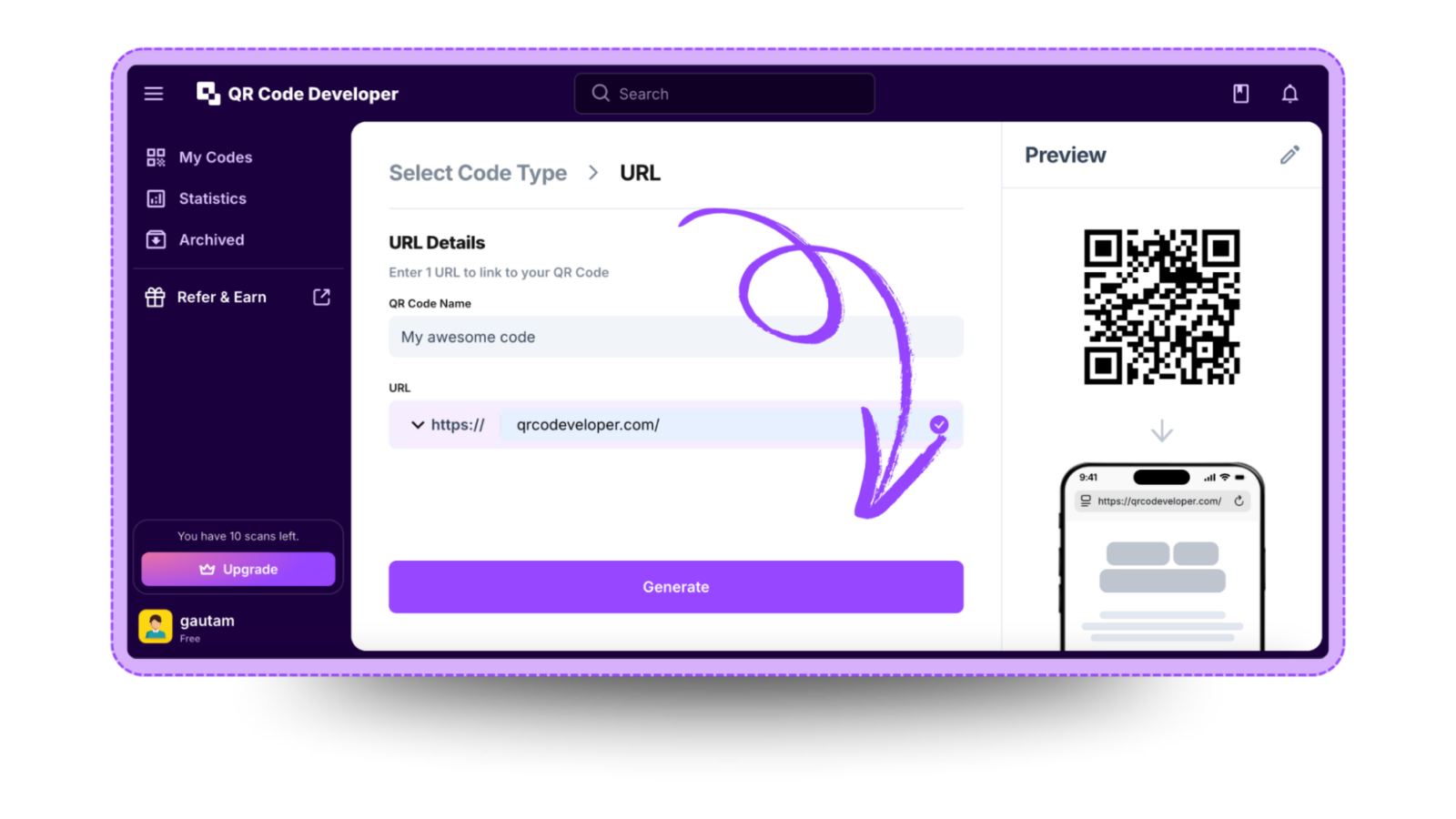
Follow the steps below to create an Vcard QR code with QR Code Developer
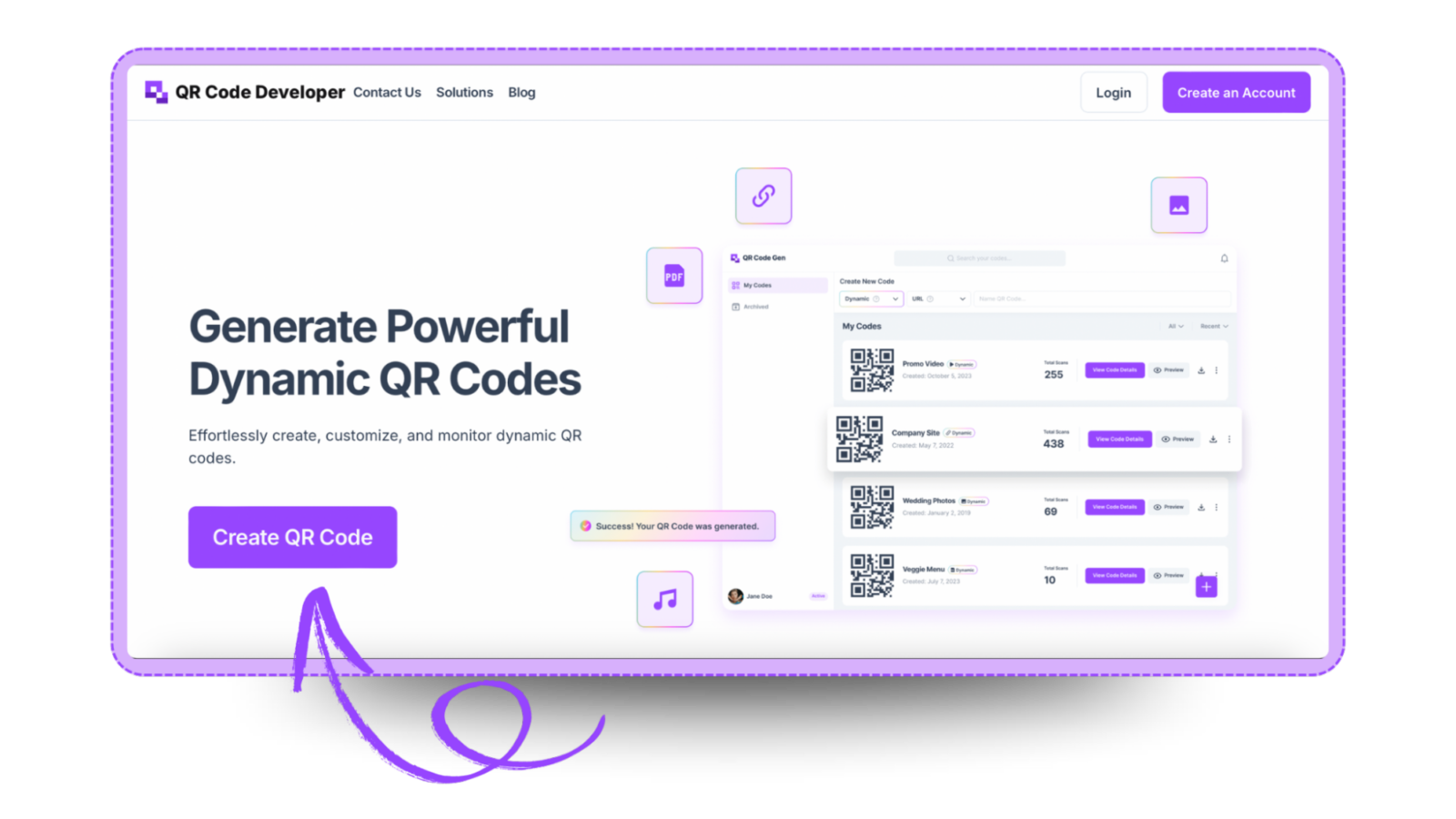
Step 1: Go to QR code developer and click on create QR code.
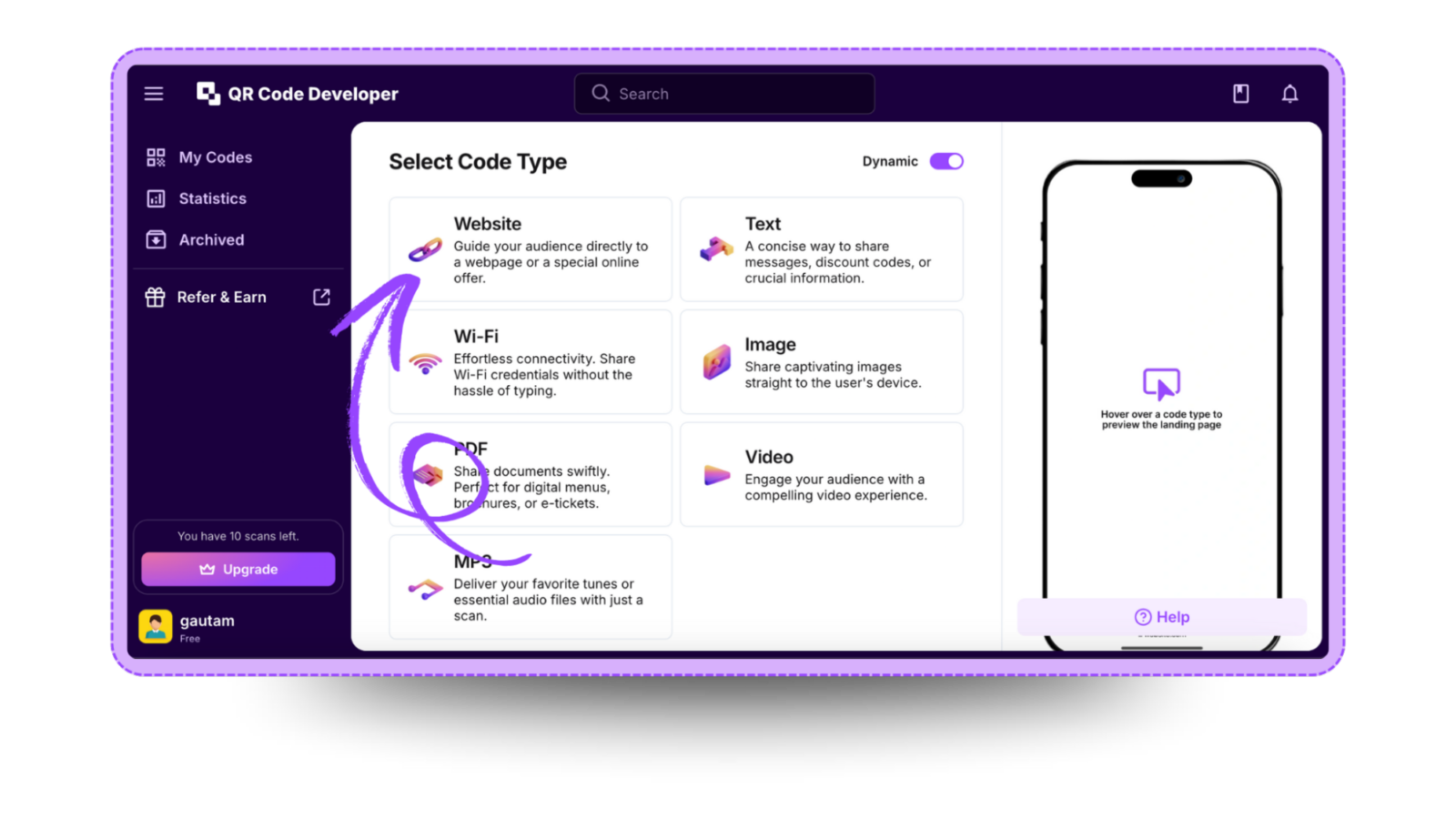
Step 2: Select the QR code type. For the Vcard link, select the website option.
Step 3: Name your QR code and paste the link in the URL bar.
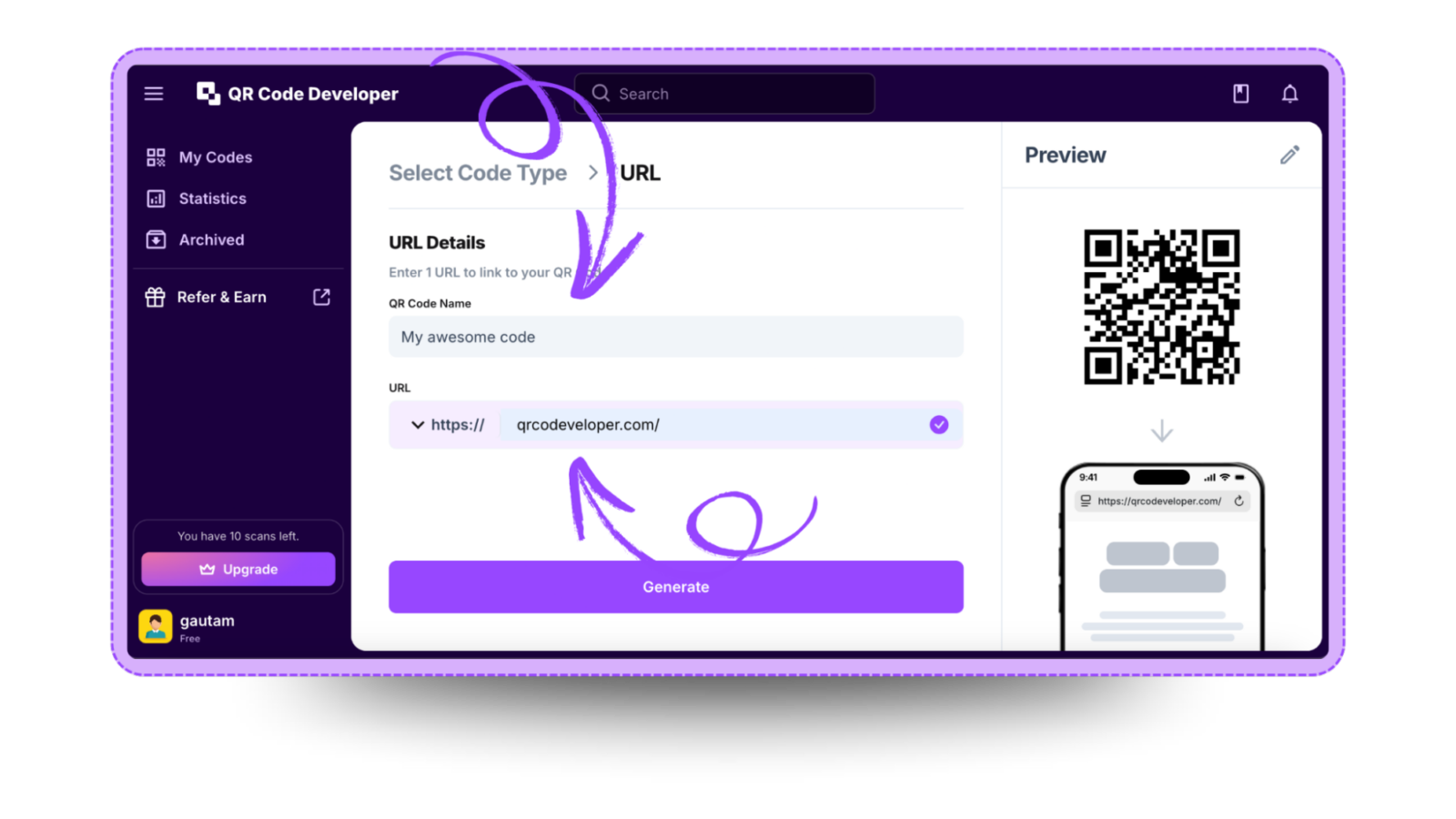
Step 4: Click on the Pencil icon in the top right corner for customization.
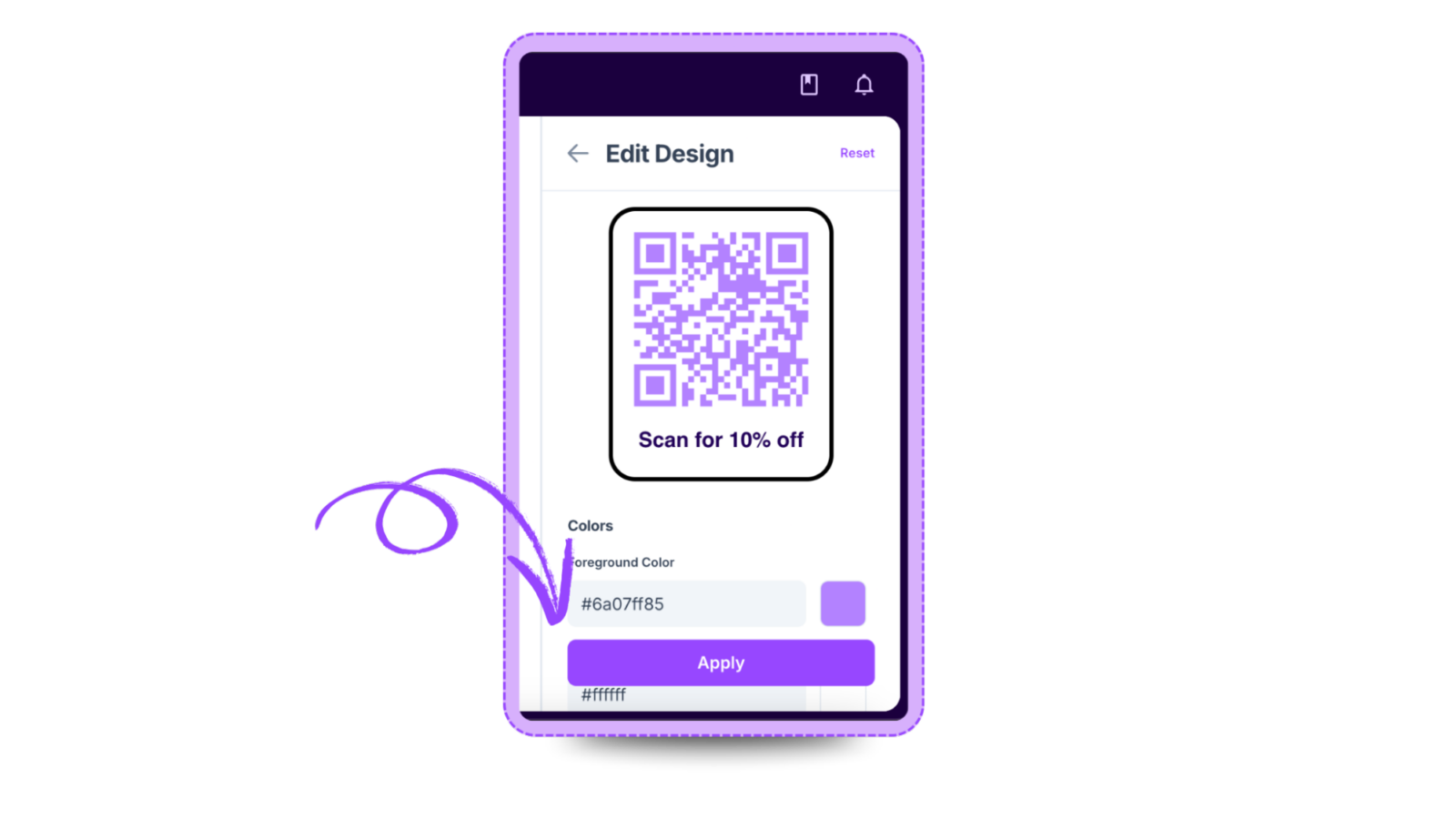
Step 5: Once done, click on Apply.

Step 6: Click on generate and your Vcard QR code is ready!
Ready to create your QR code?
Generate custom QR codes in seconds - free and easy to use.
Create Free QR Code →