TikTok QR code generator

QR codes let you share any TikTok profile or video with anyone without hassle. It removes the need to manually send links one by one. People can also simply scan the code instead of typing long URLs o
QR codes let you share any TikTok profile or video with anyone without hassle. It removes the need to manually send links one by one. People can also simply scan the code instead of typing long URLs or searching for your profile or video on TikTok and engage with your content. QR codes can help you grow your TikTok engagement efficiently.
How does a QR code for TikTok work?
It works by converting a TikTok profile or video link into a QR code. When someone scans it, they are instantly taken to the exact TikTok page without searching or typing. A QR code ensures users land on the right page in seconds.
Below are some use cases of QR codes for TikTok and how they can be helpful for you:
| Use Case | How It Helps |
| Profile Growth | Share your TikTok QR code so people can follow you instantly without searching your username. |
| Content Promotion | Add QR codes on posters, flyers, or social media to link directly to your trending videos. |
| Brand Campaigns | Businesses can share QR codes that take customers to branded TikTok challenges or ads. |
| Event Marketing | Use QR codes at concerts, clubs, or events to guide audiences to live TikTok updates. |
| Cross-Platform Sharing | Creators can post QR codes on Instagram, YouTube, or websites to redirect followers to TikTok. |
Benefits of using QR codes for TikTok
- Give people instant access to your TikTok profile or videos.
- Remove the need to type or remember long TikTok links.
- Can be added to posters, merchandise, packaging, or shared digitally.
- Work on any smartphone with a camera, no special app required.
- Track scans to understand how people engage with your TikTok content.
- Customize with colors, frames, or even add your logo.
- Use dynamic QR codes to update links or campaigns anytime.
How to create a QR code for TikTok with QR Code Developer?
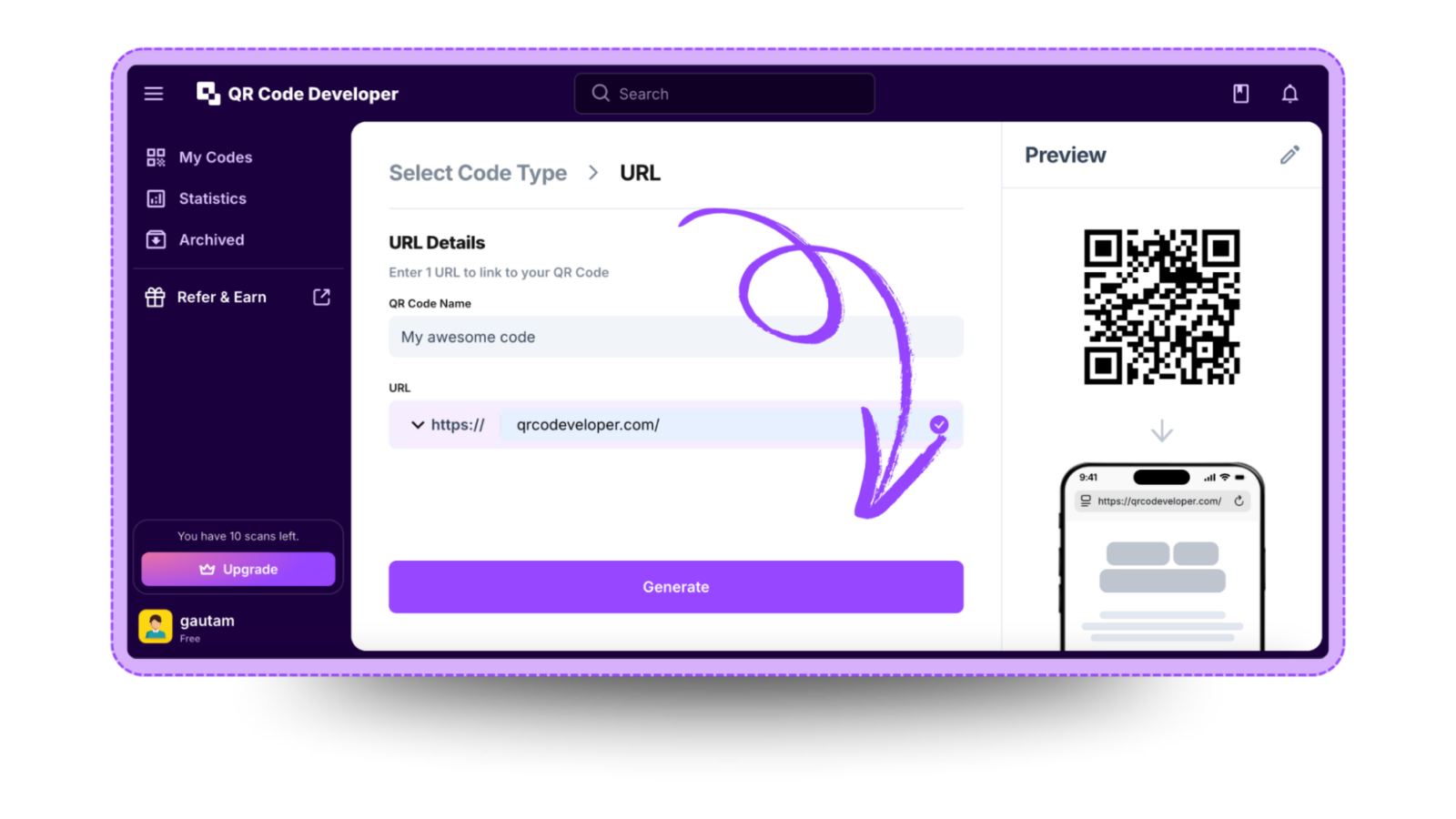
Follow the steps below to create a TikTok QR code with QR Code Developer
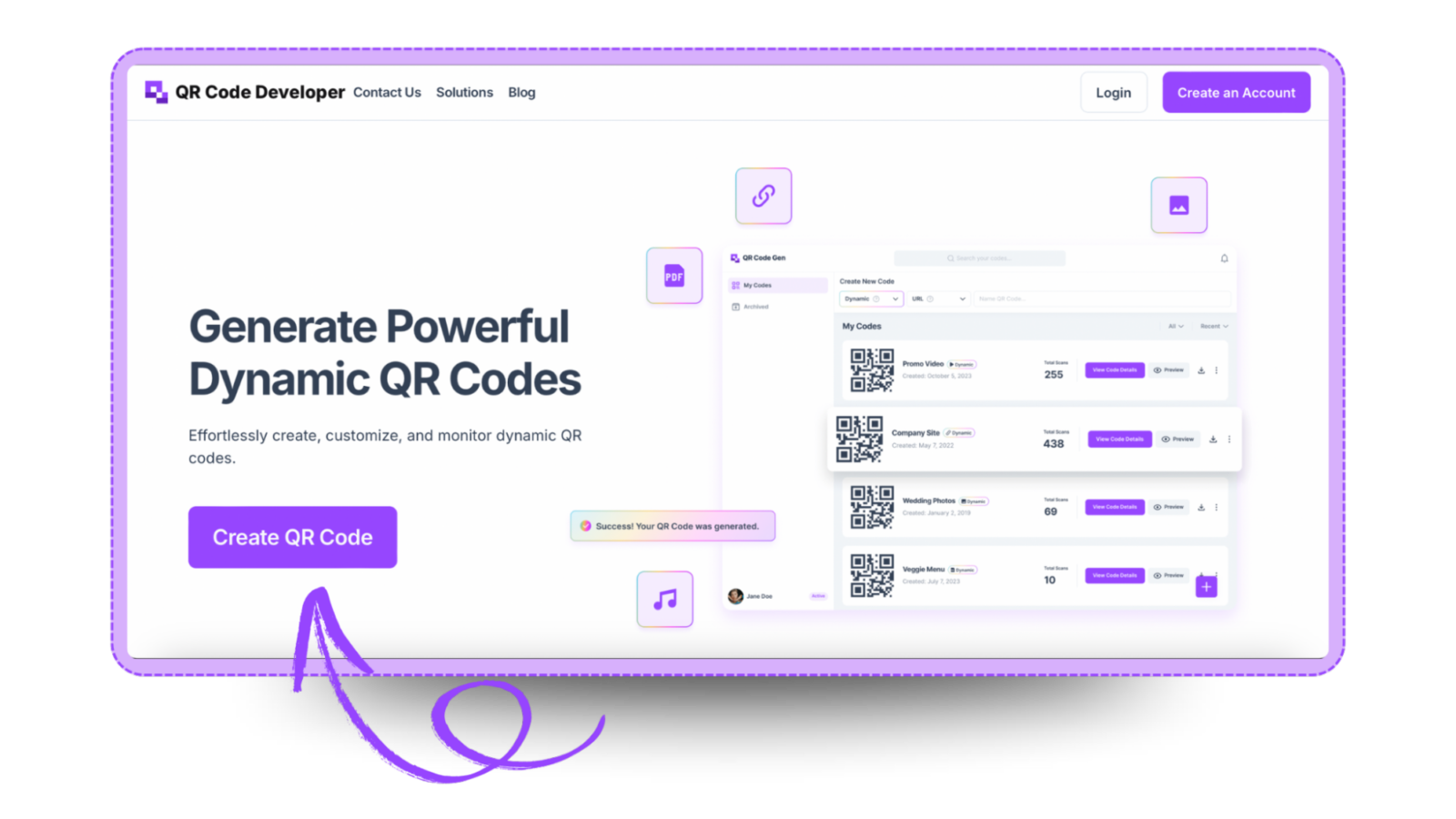
Step 1: Go to QR code developer and click on create QR code.
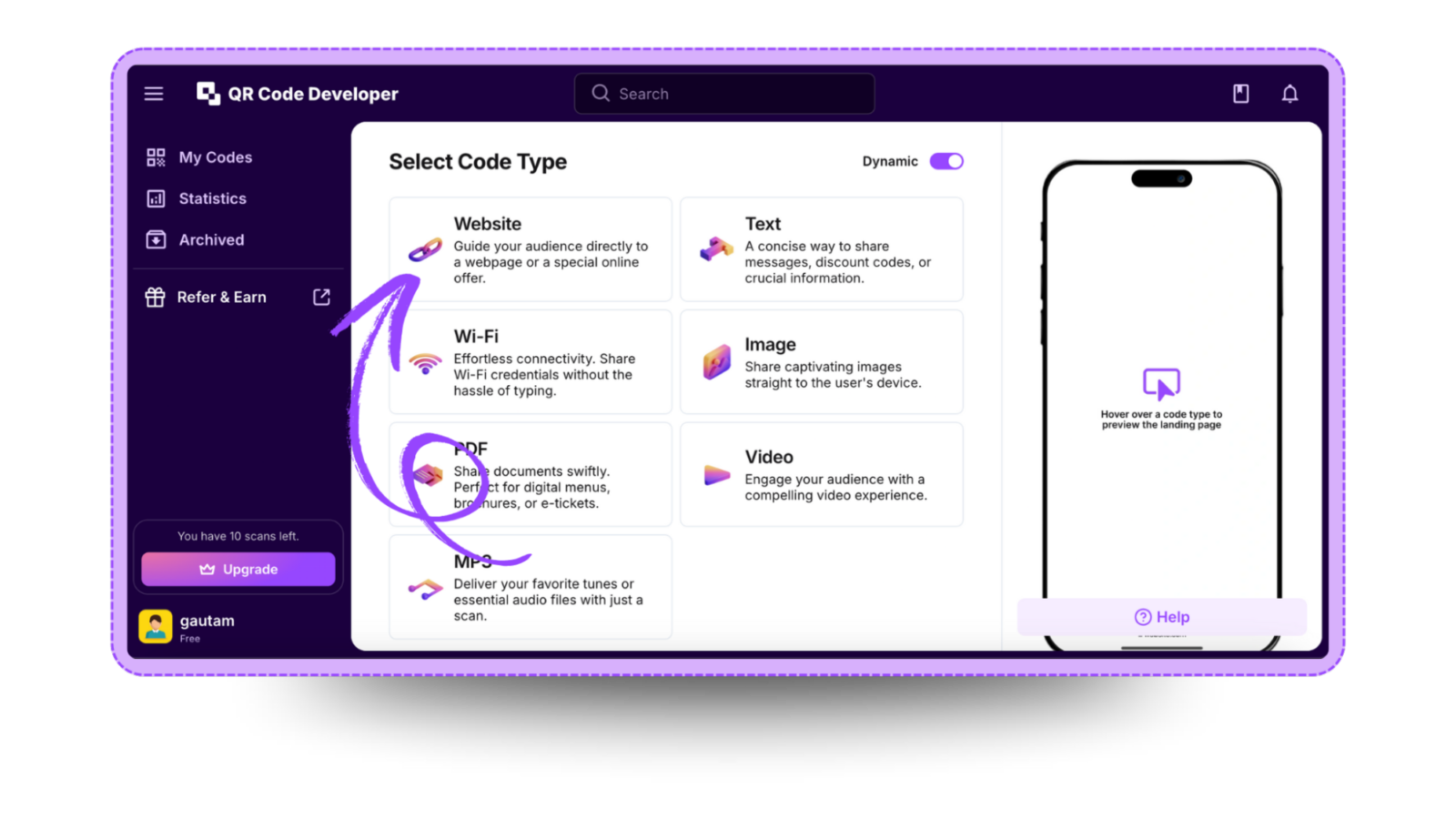
Step 2: Select the QR code type. For the TikTok link, select the website option.
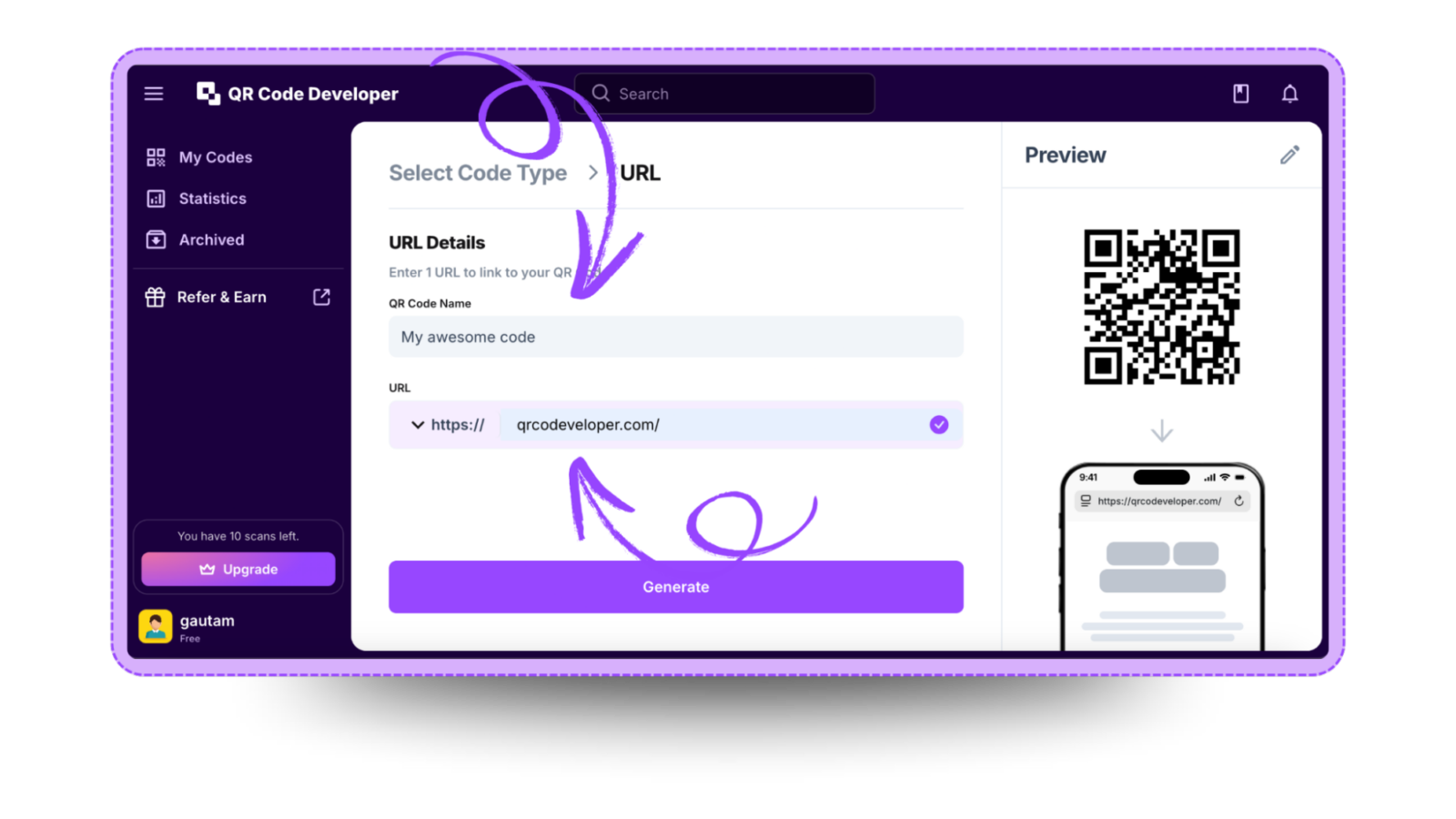
Step 3: Name your QR code and paste the link in the URL bar.
Step 4: Click on the Pencil icon in the top right corner for customization.
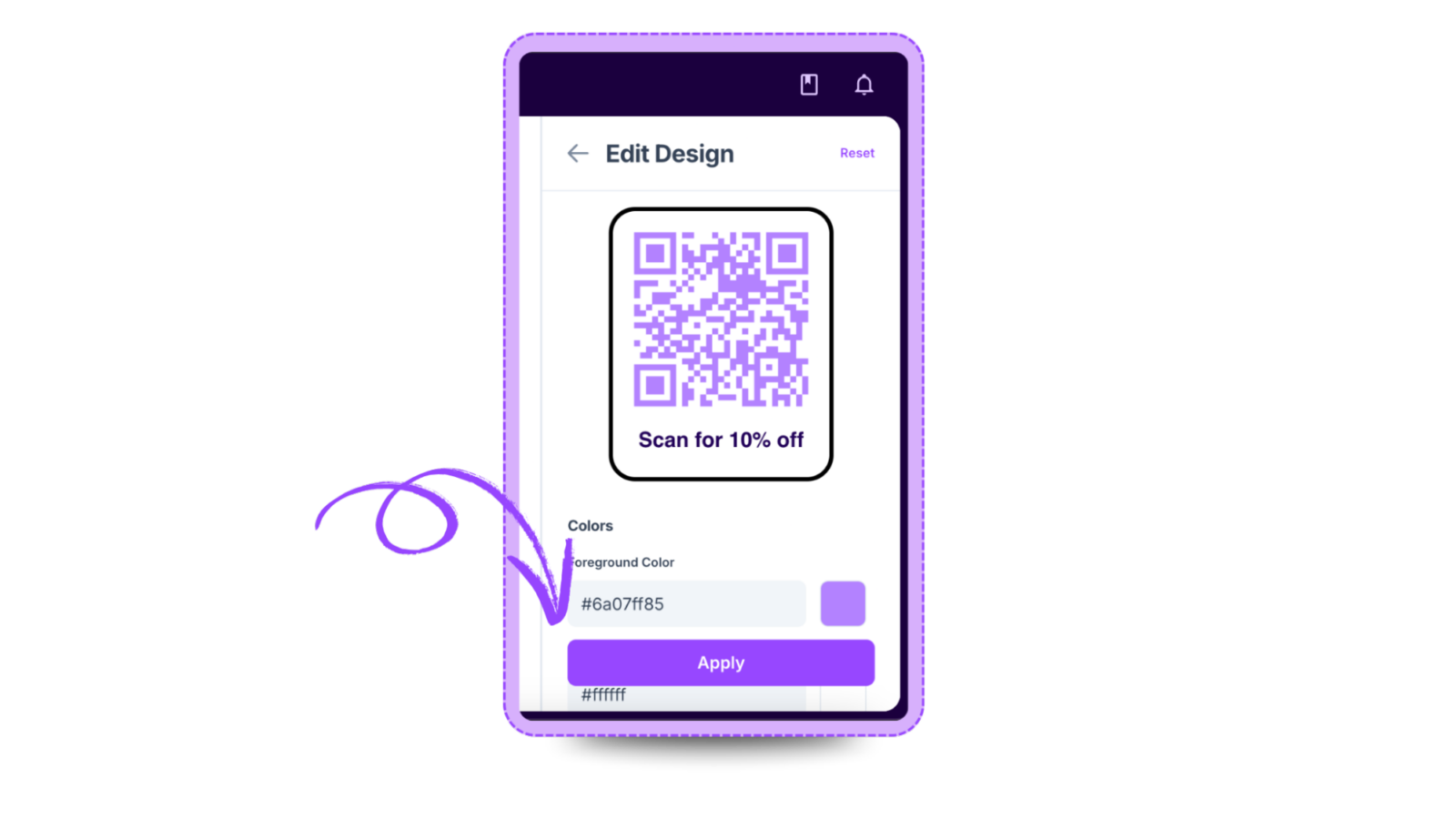
Step 5: Once done, click on Apply.

Step 6: Click on generate and your TikTok QR code is ready!
Ready to create your QR code?
Generate custom QR codes in seconds - free and easy to use.
Create Free QR Code →