QR codes for Amazon

QR codes allow you to share an Amazon product, seller, or offer link to multiple people without any hassle. This way, you get to avoid manually typing long URLs. It’s a quick way to grow your product’
QR codes allow you to share an Amazon product, seller, or offer link to multiple people without any hassle. This way, you get to avoid manually typing long URLs. It’s a quick way to grow your product’s reach by making navigation smooth.
How does a QR code for Amazon work?
QR codes allow you to share an Amazon product, seller, or offer link to multiple people without any hassle. This way, you get to avoid manually typing long URLs. It’s a quick way to grow your product’s reach by making navigation smooth.
Below are some use cases of QR codes and how they can help you with your Amazon business:
| Use Case | How It Helps |
| Product Packaging | Add a QR code on boxes or labels so buyers can scan and reorder the product directly from Amazon. |
| Marketing Campaigns | Use Amazon QR codes on flyers, posters, or ads to drive traffic straight to your product listing. |
| Affiliate Marketing | Affiliates can share QR codes that link to Amazon products, making it easy to earn commissions. |
| Retail Stores | Physical shops can place QR codes next to items, allowing customers to scan and buy online if stock runs out. |
| Event Promotions | Brands can share QR codes at trade shows or exhibitions to showcase their full Amazon store. |
Benefits of using QR codes for Amazon
- Give customers instant access to any desired Amazon page.
- Remove the need for typing or remembering the product or store name.
- Can be printed or shared digitally without losing quality.
- Work on any smartphone with a camera, no special app required.
- Easy to customize with logos, colors, and frames.
- Can be tracked and analyzed to measure business growth by providing crucial scan analytics.
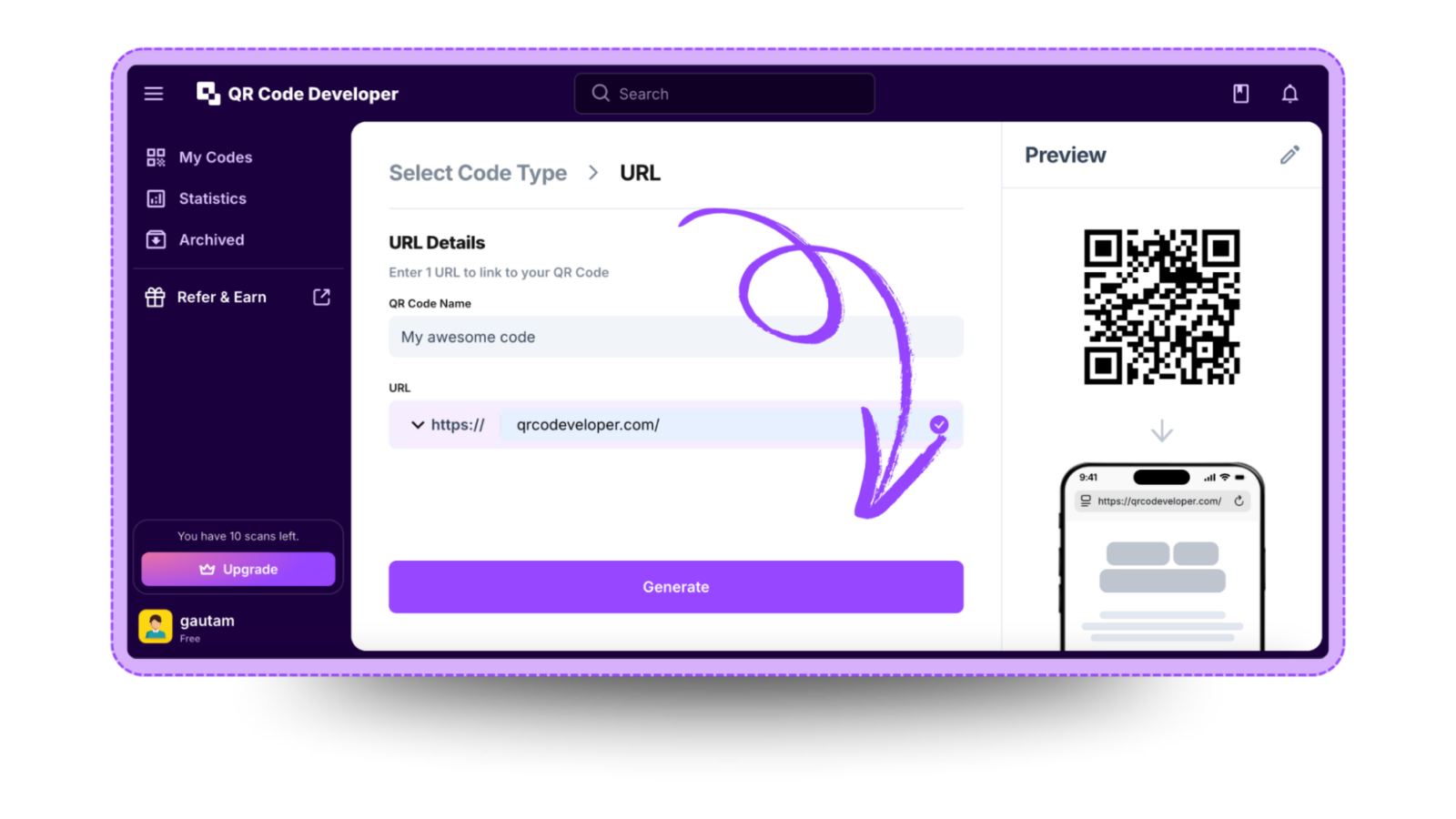
How to create a QR code for Amazon with QR Code Developer?
Follow the steps below to create an Amazon QR code with QR Code Developer
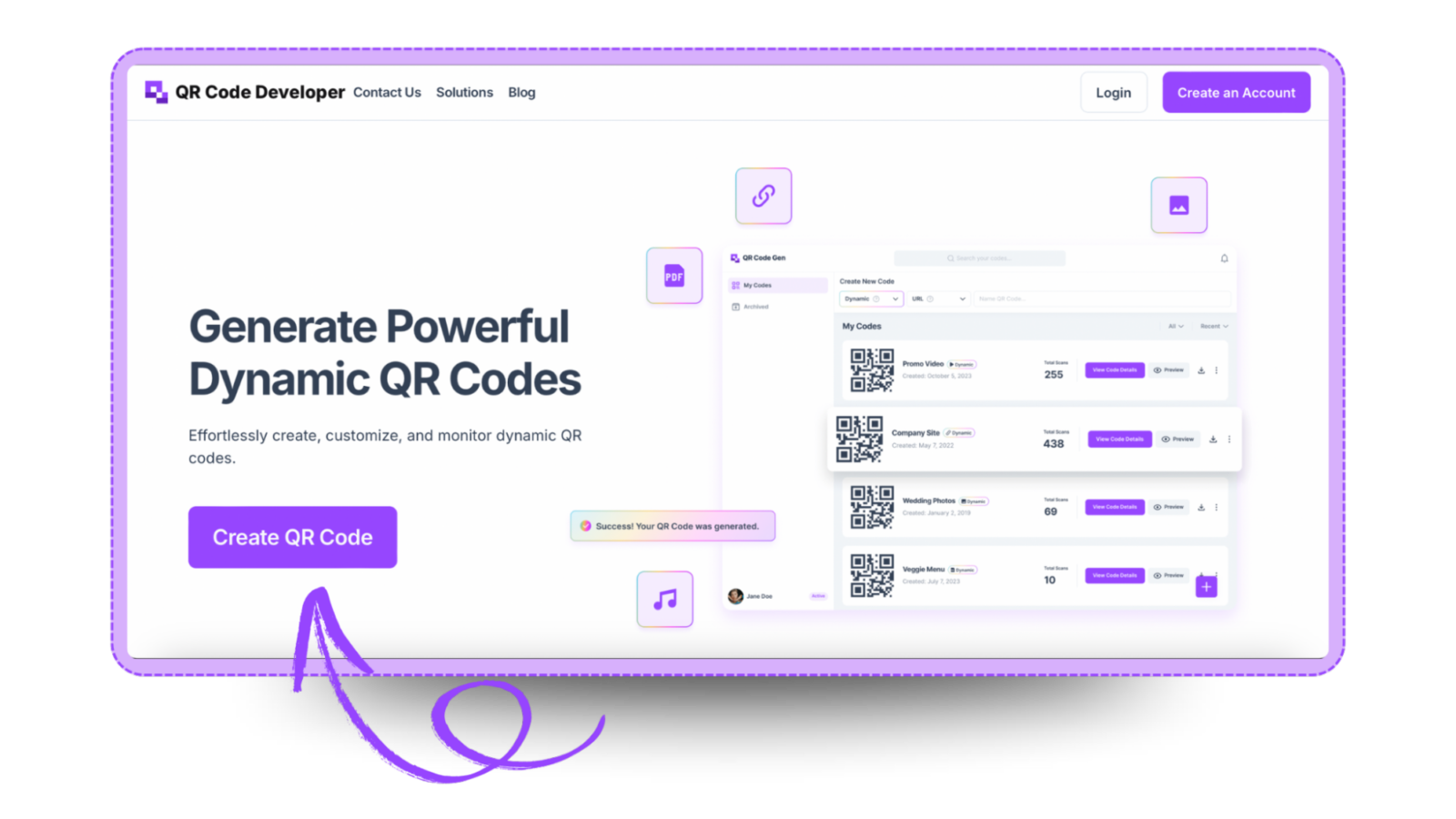
Step 1: Go to cQR code developer and click on create QR code.
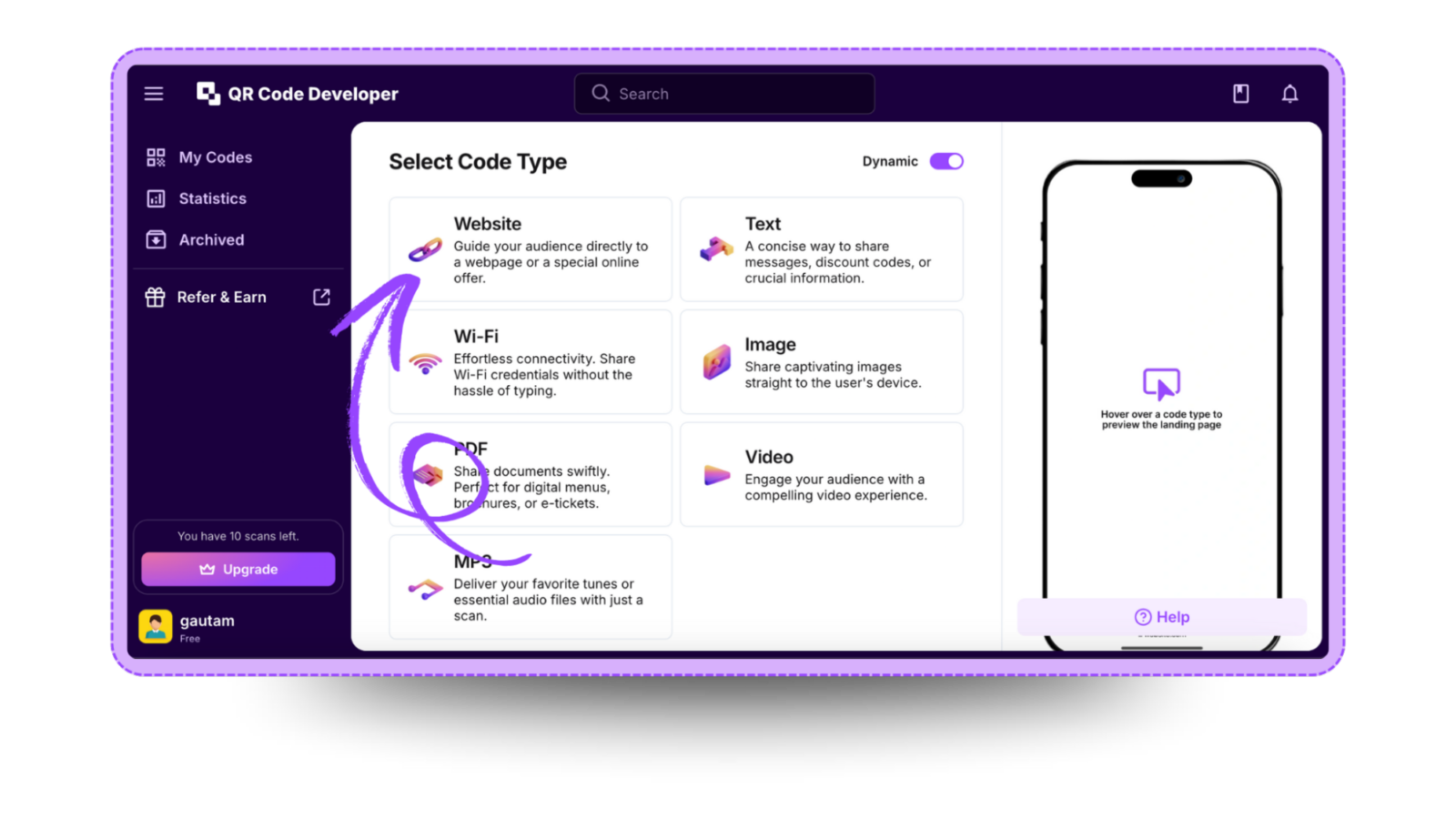
Step 2: Select the QR code type. For the Amazon link, select the website option.
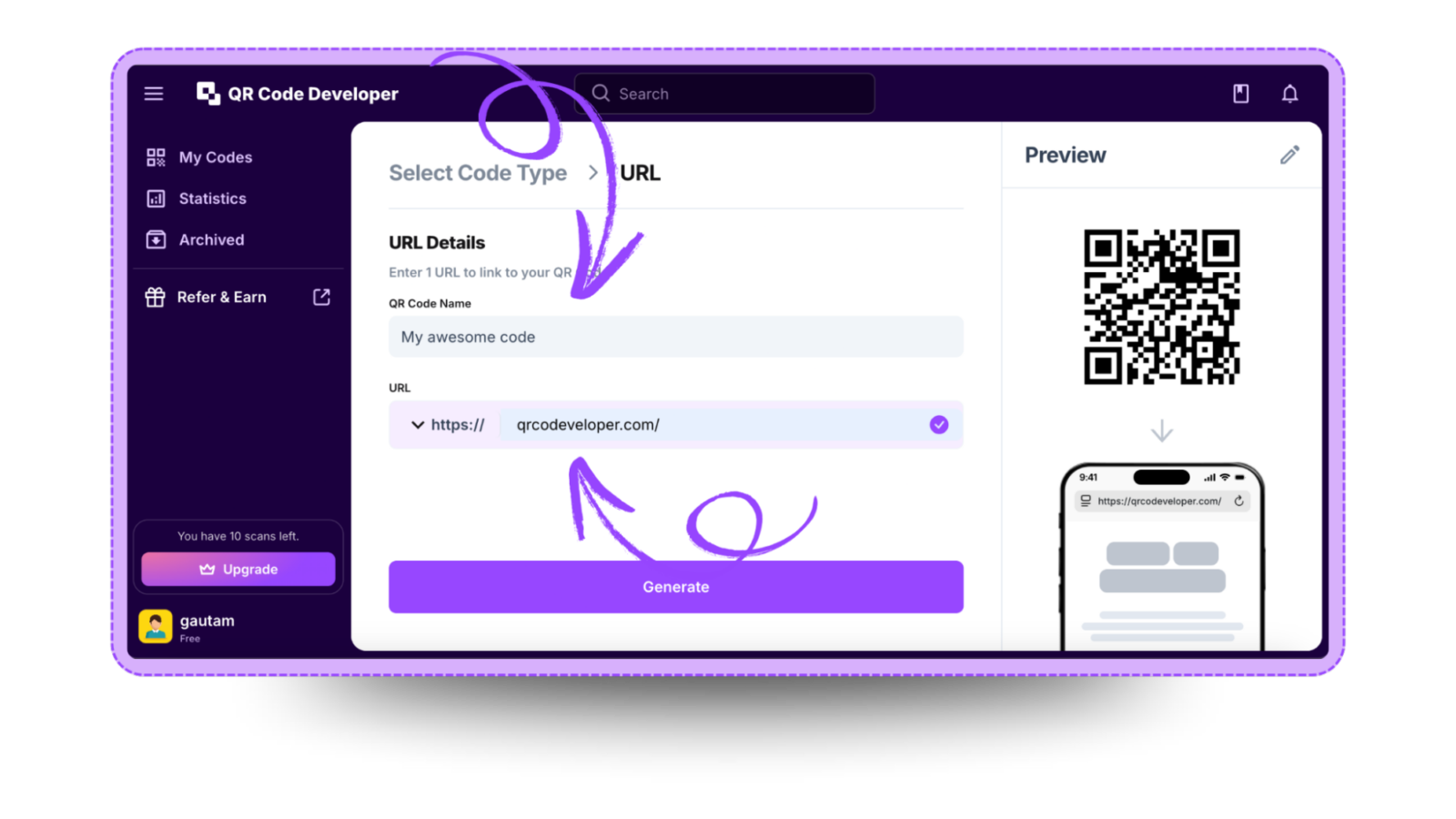
Step 3: Name your QR code and paste the link in the URL bar.
Step 4: Click on the Pencil icon in the top right corner for customization.
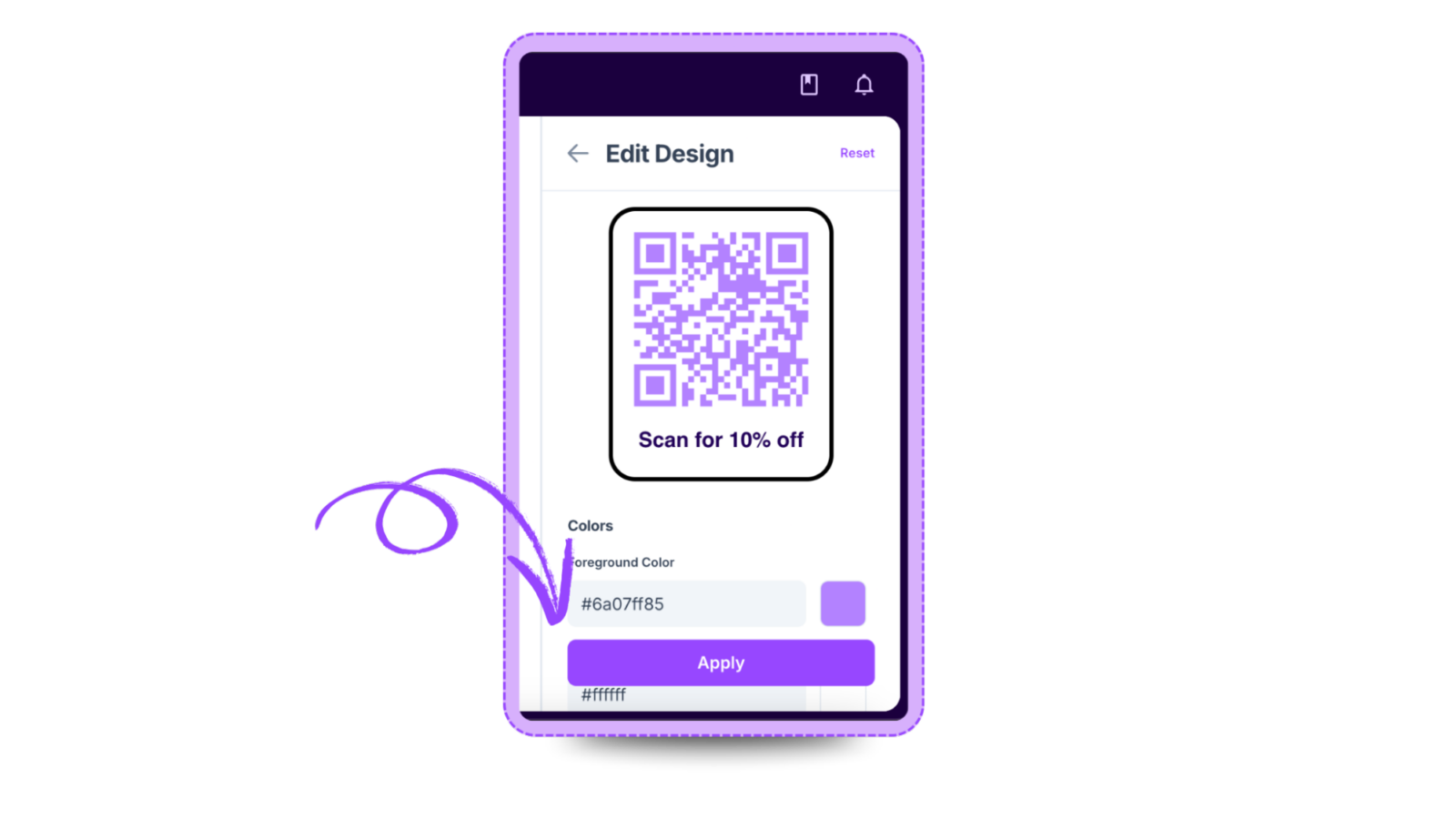
Step 5: Once done, click on Apply.

Step 6: Click on generate and your Amazon QR code is ready!
Ready to create your QR code?
Generate custom QR codes in seconds - free and easy to use.
Create Free QR Code →