QR code to PDF generator

Step-by-step guide: How to create a PDF QR code.
Turning a PDF into a QR code is simple, especially with the right tools. QR Code Developer helps quickly create, manage, and modify your PDF QR Code according to your needs and preferences in just a few minutes.
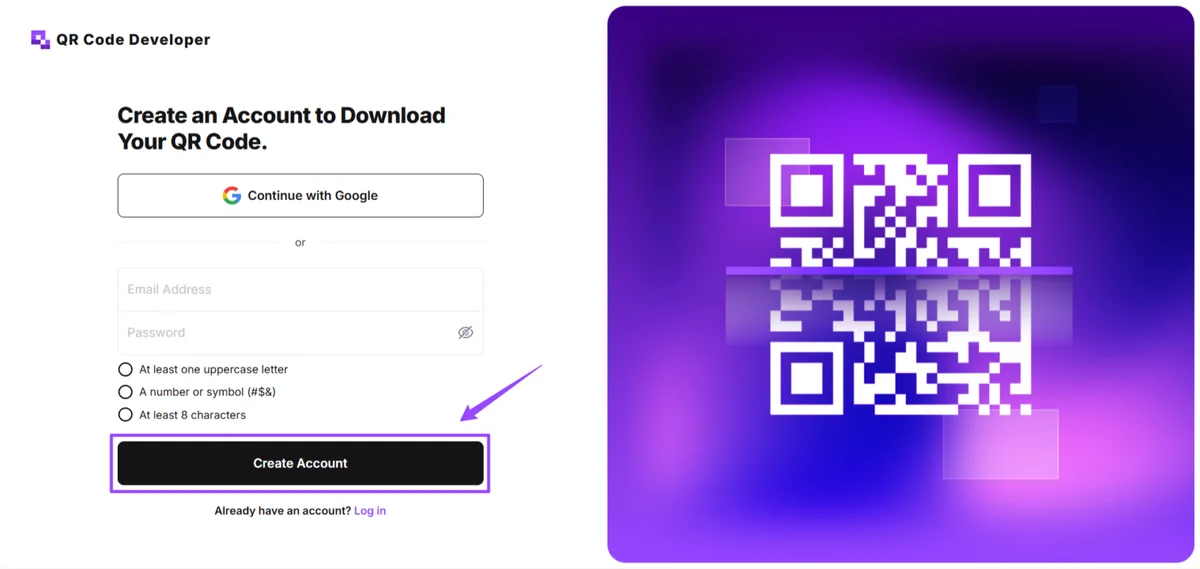
Step 1: Sign In to QR Code Developer
To start using QR Code Developer, first create an account, and if you are already using it, log in with your credentials to access its dashboard.
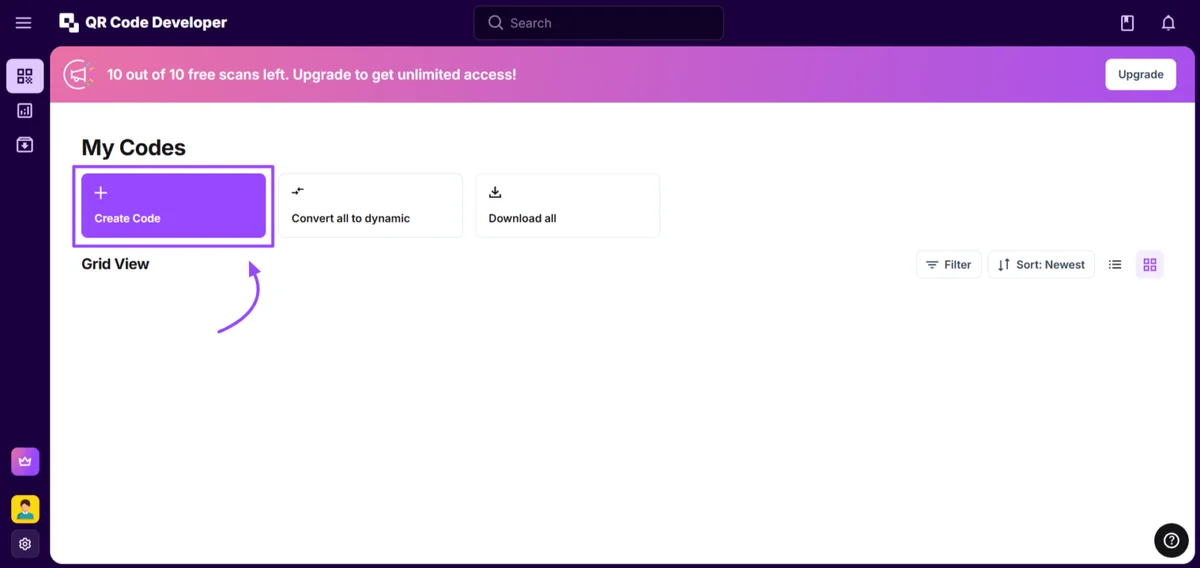
Step 2: Go to Dashboard
Once you’re done, you’ll be automatically redirected to its dashboard. Click on Create Code under the My Codes tab. Then, you will be redirected to the next steps.
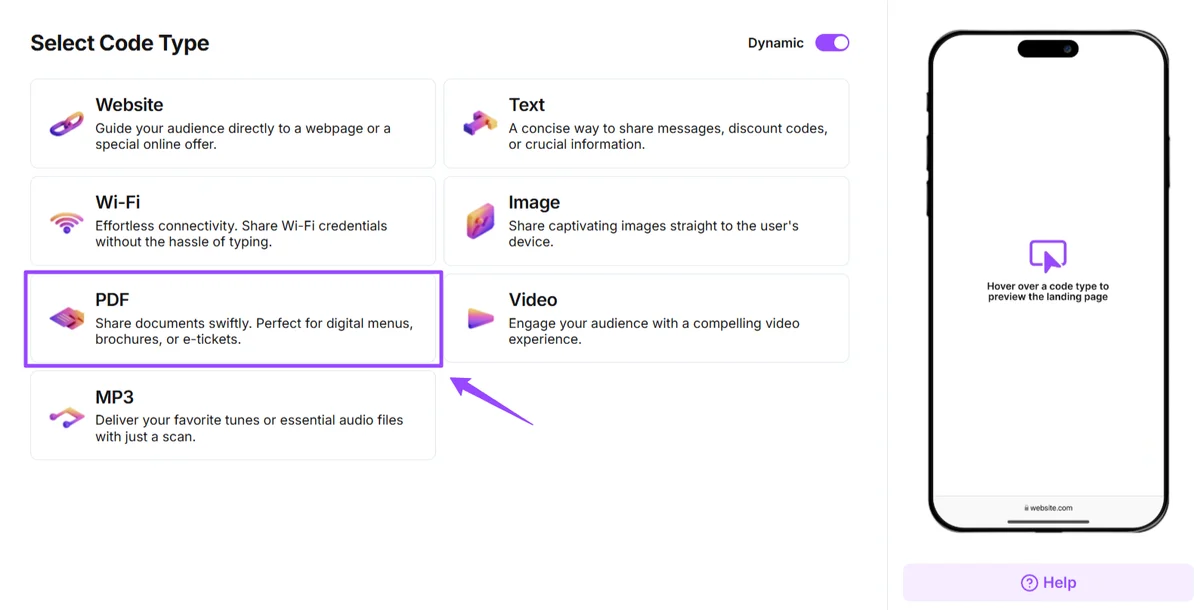
Step 3: Create Your PDF QR Code
The next step will be to Select Code Type. Here, we will select the PDF option.
Next, we need to:
- Add a QR Code Name and Uploading a PDF
- Enter Company Name & Logo (optional)
- Lastly, add the PDF Title, Description, Button Text, and Cover Image (up to a Size of 5MB)
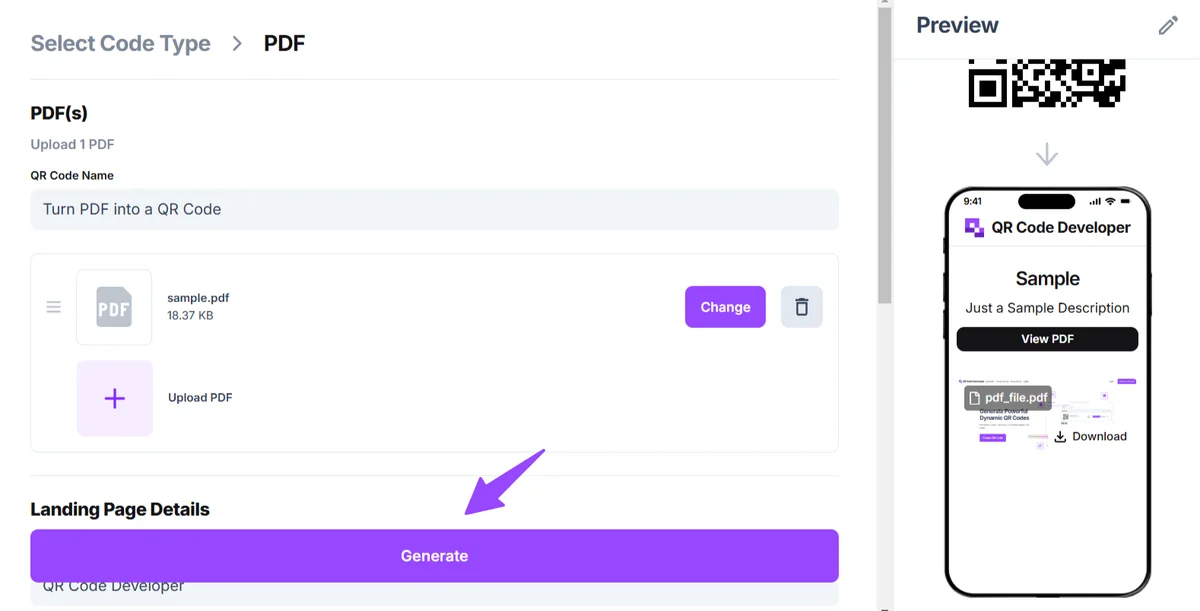
Once you’re done adding all the details, simply click on the “Generate” button, and it will create a QR code that looks like this.
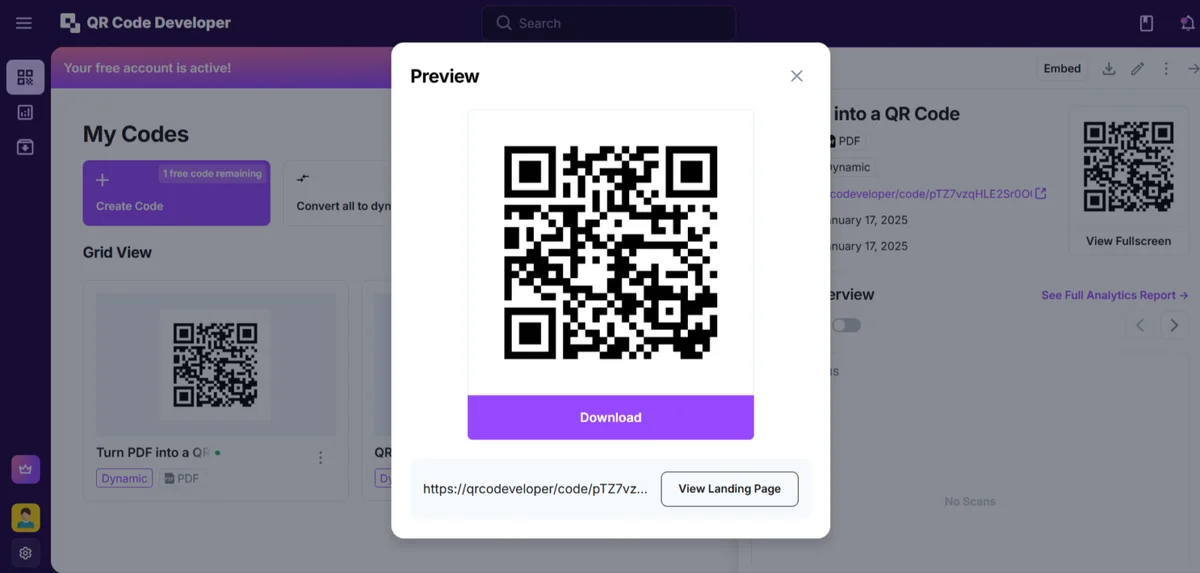
Step 4: Test your QR Code
Now, it’s time to Test your QR Code and see if it’s working correctly or needs any changes. Remember, you can always edit, modify, and make changes to your QR code anytime in the future. When you feel everything is ready, that’s it! You’ve successfully created a QR code for your PDF, which others can access by scanning the QR code.
Benefits of using QR codes with PDFs
Easy sharing: QR codes are easy to send through email or a text message.
- Real-time analytics: Tools allow you to track usage of QR codes and see which ones are being scanned and by what devices.
- Mobile access: QR codes can be scanned and accessed on almost any mobile device.
Also Read: GDPR Compliance for Businesses Using QR Codes
Why use QR code developer?
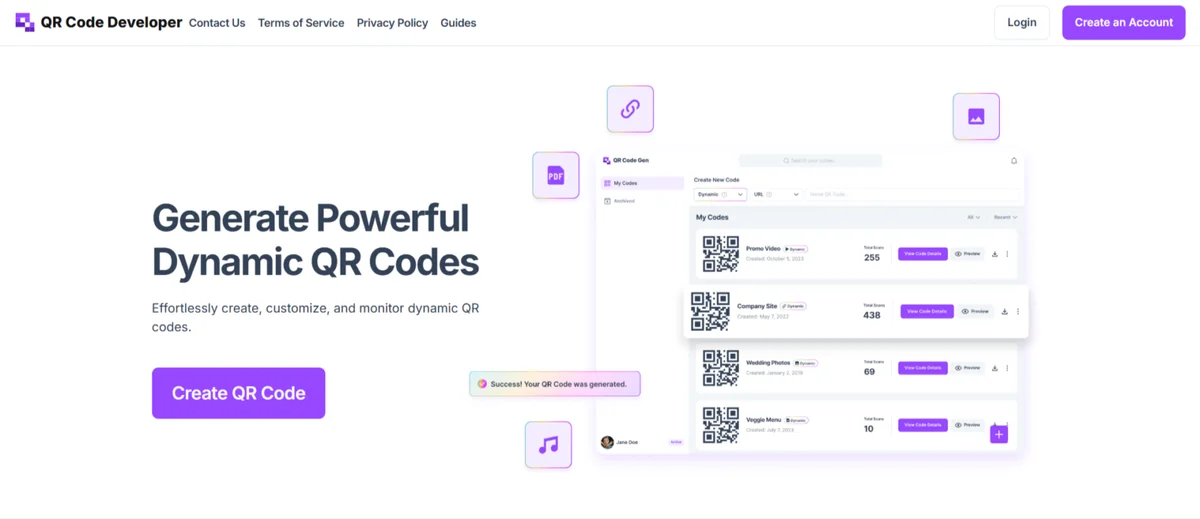
QR Code Developer is an easy-to-use platform where you can generate dynamic QR codes for various purposes. Be it a website, text, video, image, PDF, or more, it just takes a few clicks. It allows:
- Customization Options
- Multiple QR Code Formats
- Real-Time Tracking
And there are plenty of other benefits you can grab while creating the QR codes of your choice. Also Check: How to Create QR Codes for Youtube
General tips
Test codes on multiple devices
- Choose a color scheme with high contrast
- Only place codes on a flat surface, like a flier or a business card
- Know your audience
- Keep track of analytics
- Only use QR codes when they will make the process easier
Ready to create your QR code?
Generate custom QR codes in seconds - free and easy to use.
Create Free QR Code →